Sprinkler
If a sprinkler is selected, the following additional properties are displayed in the properties palette:
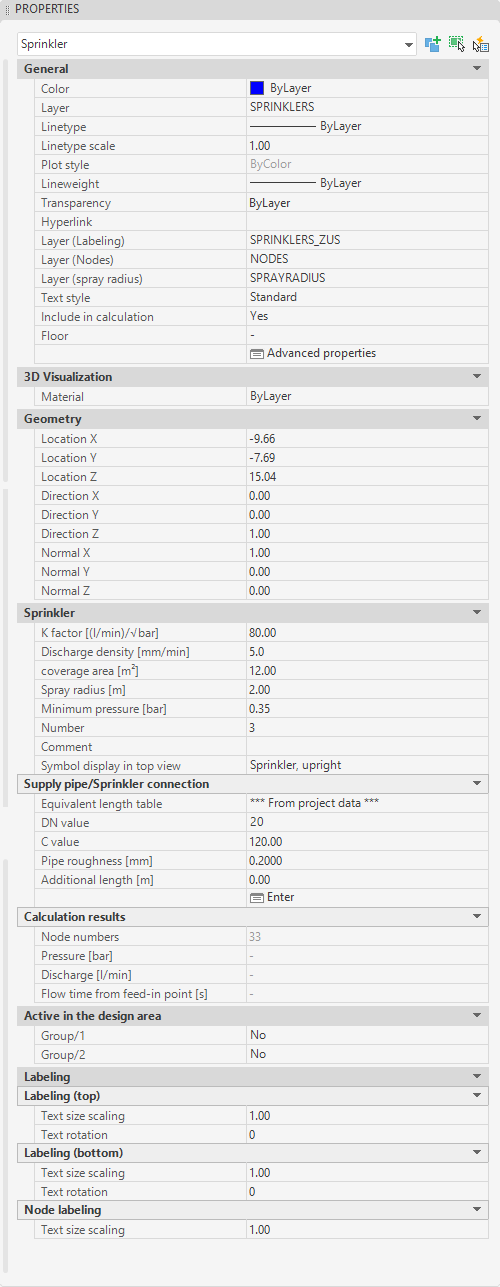
- Category General, in addition to the AutoCAD/BricsCAD object properties such as color, layer and layer of the labels, the following data of the pipe can be adjusted:
- Include in calculation: If "No" is selected here, this object will be ignored during the next calculation run.
- Floor: Floor to which this object is assigned (look Floors).
- Advanced properties: Calls up the object-specific propertiesdialog (look Edit/Change via Properties dialog).
- Category Sprinkler:
In this section the non-geometric data of the sprinkler can be entered:
- K-factor [l/(min*√bar)]: K-factor of the sprinkler.
- Discharge density: Discharge density in [mm/min].
- Protection area: Required protection area in [m²] of the sprinkler
- Spray radius: Spray radius of each sprinkler marked with a circle
- Minimum pressure [bar]: Minimum pressure required at the sprinkler in [bar].
- Number: Number of the sprinkler.
- Comment: Description of the sprinkler in calculation (appears in table remarks)
- Symbol display top view: Number of the symbol display, which is used to show the sprinklers in the top view.(defined in symbol.cfg)
- Activated in design area: Identifies if the sprinkler is in design area or not
- Number of design area: Number of the design area in which this sprinkler is lying
- Category Supply pipe/ sprinkler connection:
In this section the sprinkler supply pipe and the data of the supply pipes can be entered. (e.g., the connecting pipes from the sprinkler location to the point where the sprinkler is connected to the main pipe) and the data for the supply pipes:
- Equivalent length table: Selecting an appropriate equivalent length table for the supply pipe to the sprinkler based on the pipe material
- DN-Value: Diameter of the supply pipes
- C-Value: C-Value of the supply pipes (Hazen-Williams-formula)
- Pipe roughness: Pipe roughness (mm per 100), for calculation according to Darcy-Weisbach-formula (a value of 20 corresponds to 0.2 mm of pipe roughness in reality)
- Additional length: Added to the actual length as equivalent length (e.g. flex hose) - Only in dialog possible!
- Enter: Opens the sprinkler supply pipe input in design
- Delete: This button deletes an existing feed directly; it appears only after a feed has been clicked on or created
- Category Calculation results: Properties in this category cannot be changed and show the results of the last calculation run.
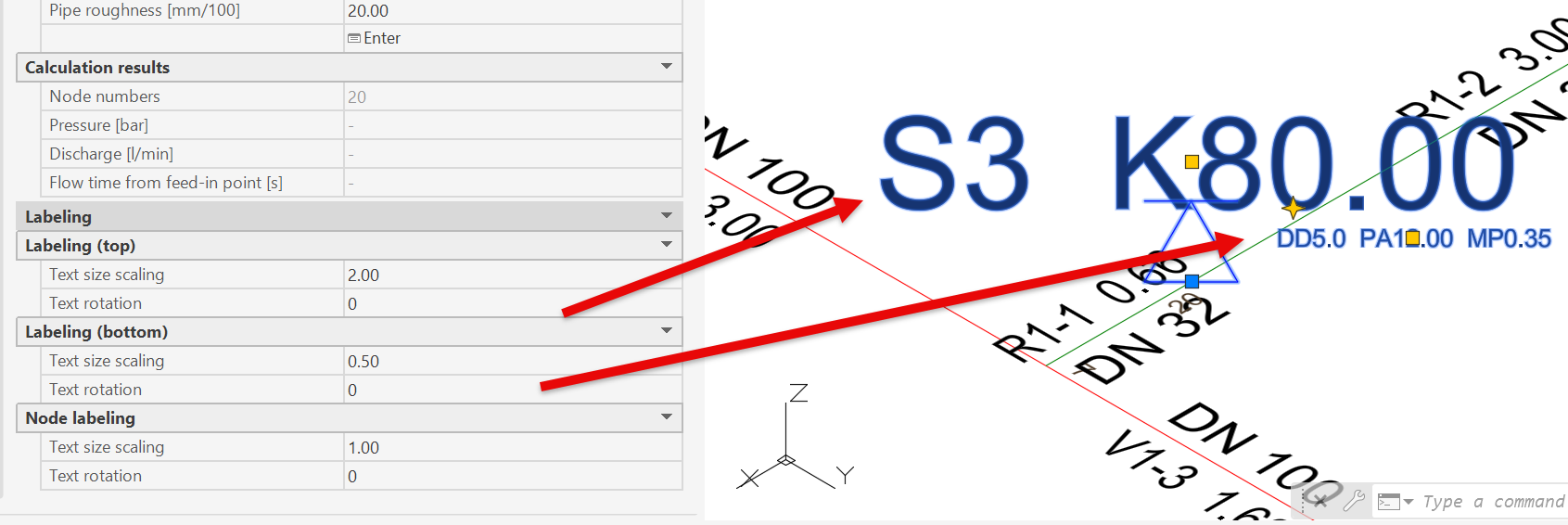
- Category Labeling :
All labels on the sprinkler can be edited individually, or multiple selected labels can be edited at the same time.
In Project Management, the labels on the sprinkler must be enabled.
This setting applies only to the current view.
Related topics: