Fittings
If one or more fittings are selected, the following properties are displayed in the properties palette:
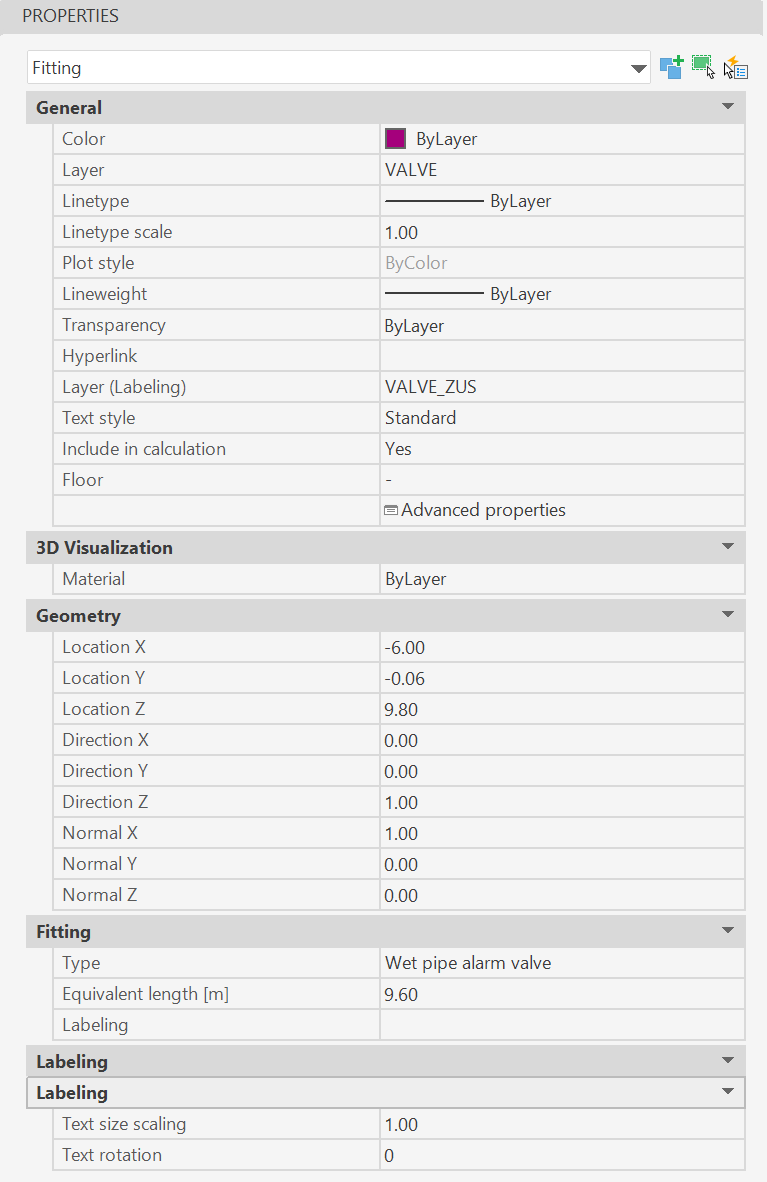
- Category General, in addition to the AutoCAD/BricsCAD object properties such as color, layer and layer of the labels, the following data of the pipe can be adjusted:
- Include in calculation: If "No" is selected here, this object will be ignored during the next calculation run.
- Floor: Floor to which this object is assigned (look Floors).
- Advanced properties: Call-up of the object-specific propertiesdialog (look Edit/Change via Properties dialog).
- Category Fitting: The characteristic data of the fittings can be entered:
- Type: Specification of the fitting
- Equivalent length: The equivalent length used for the calculation can be entered here.
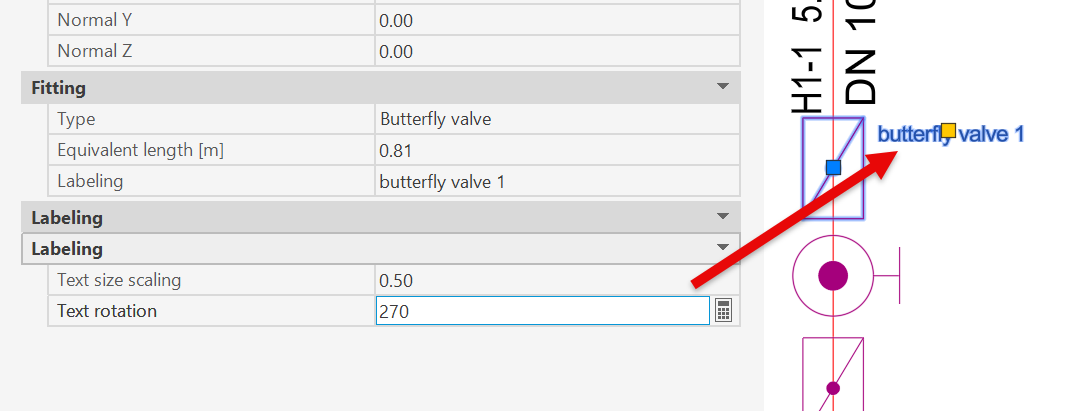
- Labeling: Text with which the fitting is labeled in the plan e.g. NAV group 1
- Category Labeling:
- Text scaling and rotation for labeled fittings
Related topics: