Edit/ Modify by properties dialog
If one pipe/sprinkler/valve is selected, "Advanced properties" can be opened in category "General" of properties, for the selected element.
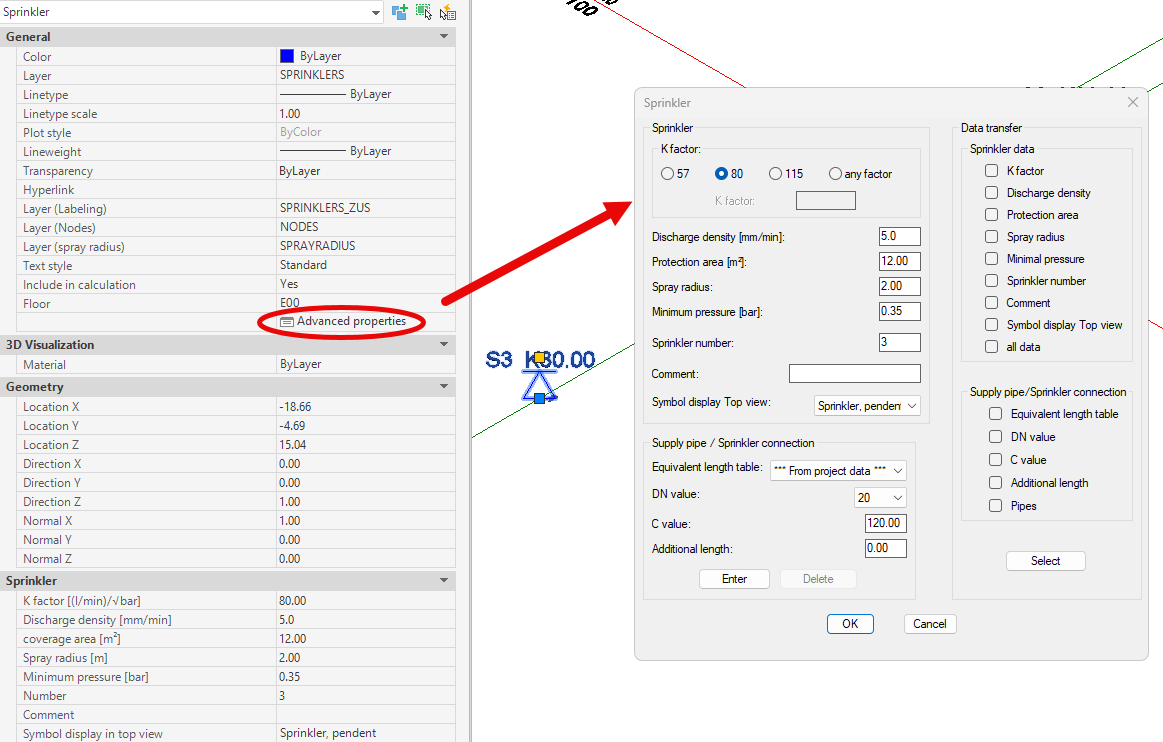
Example: Sprinkler Selection
The dialog can also be accessed by the context menu of the object.
First, a pipe, sprinkler or valve must be selected. Then the corresponding entry "Edit (branch) pipe", "Edit sprinkler" or "Edit valve" can be opened via right-click.
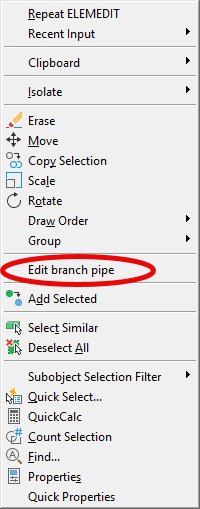
Example: Branch Pipe Selection
Related topics: