Floors
Function: Dialog for managing the floors/levels/zones of a building.
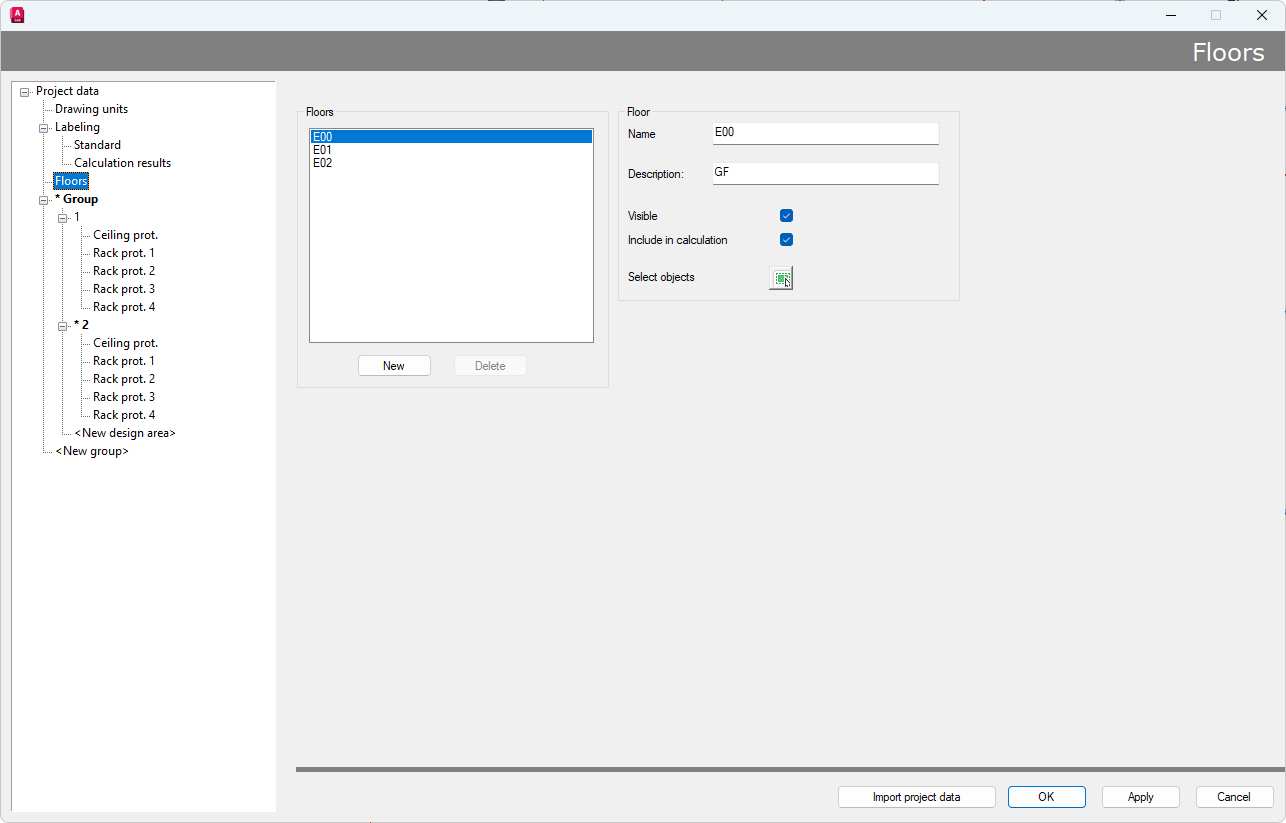
In this dialog, floor and level assignments can be created and hidden as desired to get a structured overview of the project.
Objects can also be excluded from the calculation.
- "Select objects": Assign objects to a specific floor
- "New": Create a new floor assignment
- "Delete": Delete an existing floor assignment
- "Visible":
- Checkbox checked: Floor/level is visible in drawing
- Checkbox unchecked: Floor/level is invisible in drawing
- Note: Objects assigned to this floor/plane are not deleted and can still be calculated, unless they are additionally excluded from the calculation.
All existing floors are displayed in the "Floors" list.
A name and a description can also be added in the box "Floor" on the right.
Note: When migrating a file from Version 5 to Version 6 with floor management enabled, you will be asked, how floor management should be implemented in the new project management system.
There are 3 options to choose during file opening:
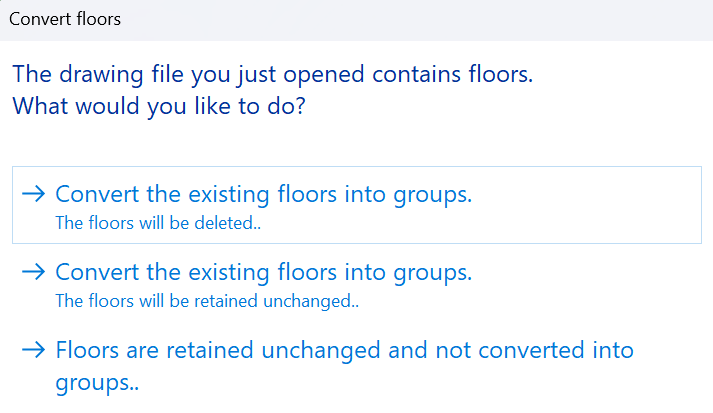
- "Concert existing floors into groups": Objects of the different floors will be integrated as groups and floor management will be deleted
- "Concert existing floors into groups": Objects of the different floors will be integrated as groups and floor management will be retained unchanged
- "Floors are retained unchanged and not converted into groups": Objects of the different floors will not be integrated as groups and floor management will be retained unchanged