Design area
Information about "Design Areas" and "Calculation modes"
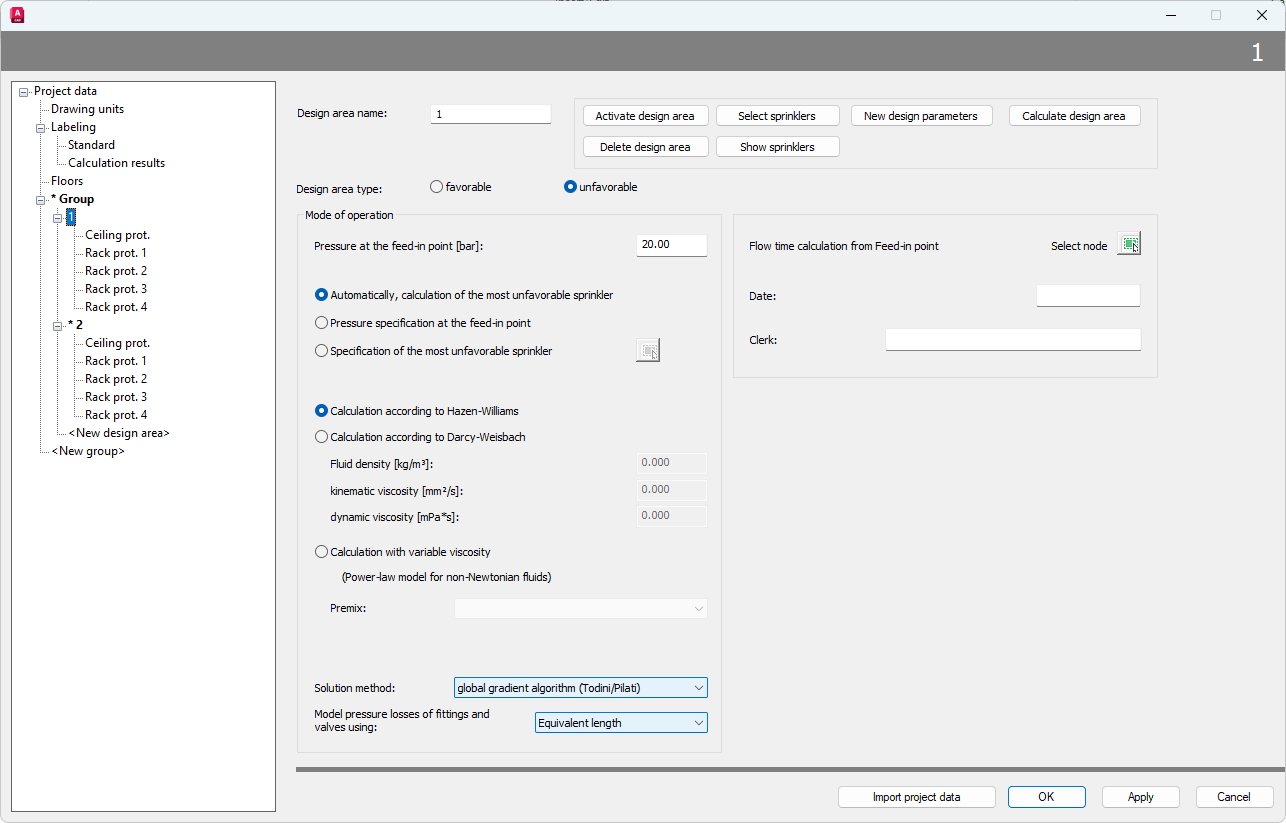
Several design areas can be created in one group.
- Design area name: any desired name can be given (should be short and concise, with letters and numbers)
- Activate design area: Design area is active and ready for calculation (Number of design area is marked bold with asterisk)
- Delete design area: Delete the whole design area
- Select sprinklers: Assign or remove sprinklers to/from (several) design areas/groups
- Show sprinklers: Show assigned sprinklers of design area
- New design parameters: Create new subgroup of design area (Information about Calculation parameters)
- Calculate design area: Design area can be calculated directly
Note: Several calculation results can be displayed at once by holding down CTRL while pressing "Calculate design area" (SpriCalc is opened multiple times).
The results can be compared to each other. (Not possible if calculation is started via "Start calculation" in menu bar!)
- Design area type: Selection of favorable or unfavorable, is irrelevant for calculation, only relevant for report
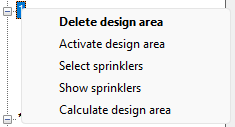
These functions can also be accessed via right-click:
- Mode of operation (see also chapter Calculation modes)
- Calculation according to Hazen-Williams-Formel:
By default, the pressure loss in the pipe system is calculated according to the Hazen-Williams-formula. This formula can only be used with water.
Furthermore the Hazen-Williams-formula can not be used for sprinkler networks with higher pressures above 40bar (e.g. High pressure extinguishing units).
- Calculation according to Darcy-Weisbach:
The calculation method according to Darcy-Weisbach can be purchased as an add-on for an extra fee and is not part of the standard package.
Example: Calculation with water at 20°C for High pressure extinguishing units (possibly the calculation has to be made with lower temperatures according to the relevant regulation)
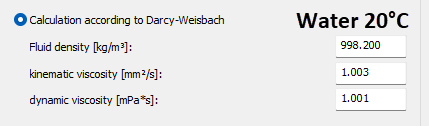
The material parameters Fluid density (in kg/m³) and Viskosity (in mm²/s) are required.
If dynamic viscosity is available, kinematic viscosity is automatically calculated and filled in, subject to fluid density.
SpriCAD is continuing the calculation with kinematic viscosity.
If calculating with Darcy-Weisbach, the pipe roughness has to be entered in mm, because it's part of the formula (check manufacturer's documentation).
The Hazen-Williams-formula uses the roughness within the C-Value of a pipe (check manufacturer's documentation).
The C-Value will be ignored when calculating with Darcy-Weisbach.
- Calculation with variable viscosity:
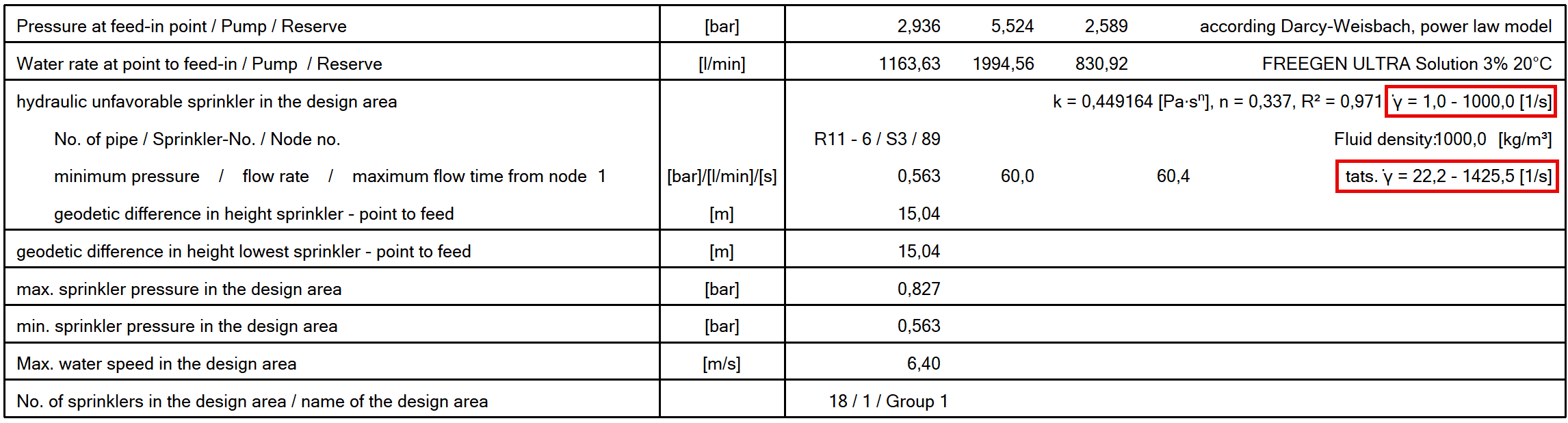
As part of the implementation of flour-free foaming agents, a new calculation method was developed. Most flour-free premixes show a shear-thinning behavior, therefore it is no longer possible to calculate them with the standard methods Hazen-Williams or Darcy-Weisbach.
A pseudoplastic or shear-thinning fluid is a non-Newtonian fluid, whose viscosity decreases with increasing shear.
Therefore, there is no constant viscosity in the pipe system, that can be used for calculating from the feed-in point to the sprinkler.
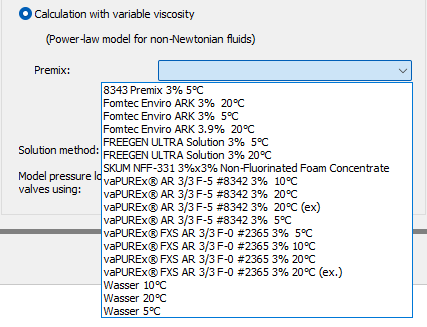
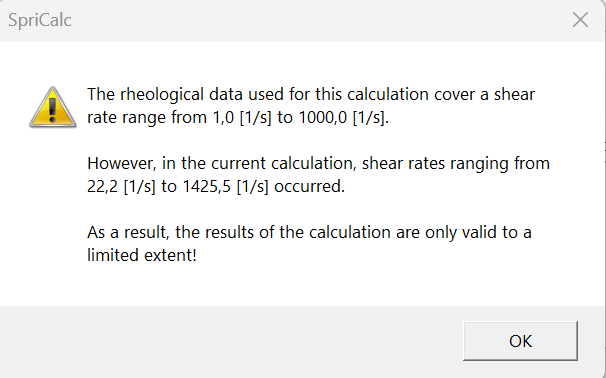
Rheological measurement data of the premixes are used as a basis for the calculation in the program (Exact data of the premixes should be obtained from the manufacturer!) The data can be added in the table of Premixes and used in the calculation.
IMPORTANT:
At the time of the roll-out of the current version, the rheological data of the manufacturers on the premixes were insufficient.
Therefore warning messages appear, due to incomplete data. This is also indicated on the cover page of the report.
The calculation is being performed, but is interrupted at 250 1/s. The report is not generated.
For calculations involving variable viscosity, the pressure losses of valves and fittings have to be modeled using a flow/pressure loss coefficient rather than their equivalent length.
Verify the K-factor for fittings and the Kv value for valves by the manufacturer’s documentation!
Existing equivalent length tables can be converted automatically, using the preset program (Fittings tab) or entering values directly for the fittings.
If the conversion has been performed while calculating using flow/pressure loss coefficients in the preset program, the values entered are automatically used for the calculation.
However, the component has to be listed in the equivalent length table. The butterfly valve, for example, is missing there (Manual entry - Default value -1 - Symbol cannot be set.)
- Solution method (Iterative methods)
There are now several iterative methods available for calculations.
These can be used for all calculation methods, except for the Variable-Viscosity Calculation. (-> only the Hardy-Cross Method or the Global Gradient Method by Todini/Pilati)

- Water flow balancing - Standard iterative method as in Version 5 (not for calculations with variable viscosity)
- Global gradient method according to Todini/Pilati - recommended for Darcy-Weisbach calculations and calculations with variable viscosity (In this case: Flow/pressure loss coefficients for fittings has to be taken into the account)
- Pressure loss balancing according to Hardy-Cross - recommended for Darcy-Weisbach calculations and calculations with variable viscosity (In this case: Flow/pressure loss coefficients for fittings has to be taken into the account). Not recommended for highly meshed systems!
- Flow time calculation
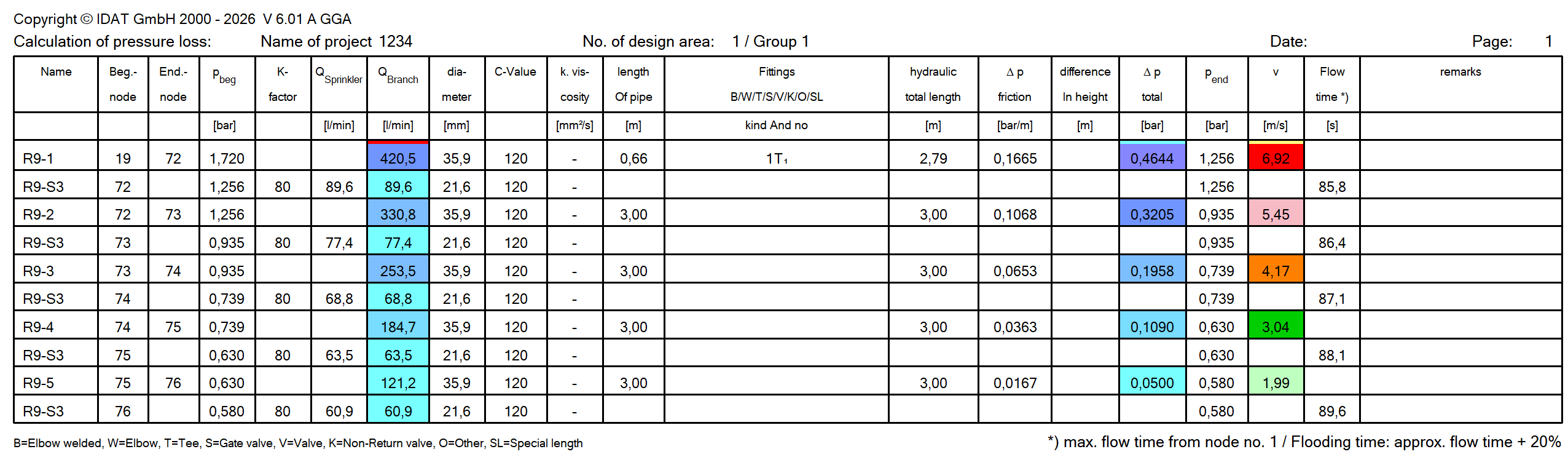
Select the node  from which the flow time should be calculated — see also Default Settings and Calculation Mode.
This is also displayed continuously in an additional column in the report for each sprinkler starting from the defined node.(Standard is from feed-in point -> Selection: No)
- Clerk and date of calculation
A different administrator than the one assigned to the project can be set. This administrator will then be displayed on the cover sheet for this calculation. If a clerk is entered in the design area dialog, no one can be entered at the higher level in project management. Any clerk already listed there, will then be deleted.