Start calculation
Icon:

Function: Starts the calculation program for the selected Design area. The Project management window is closed.
Before the calculation begins, all fittings (Tees, elbows, and elbows threaded) are automatically identified.
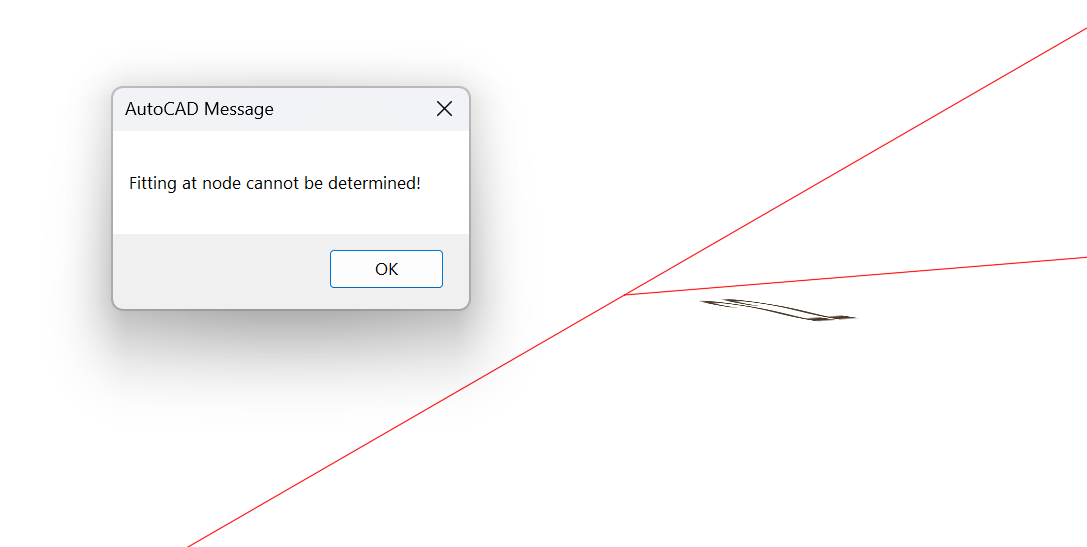
If it is not possible to automatically generate a fitting at a junction (for example, because more than 4 pipes converge at that junction), the relevant pipes are zoomed in on and the user is prompted to specify the fittings at that junction:
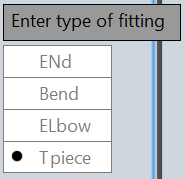

- EN Finish entering fittings
- B Entering an elbow
- EL Entering an elbow threaded
- T Entering an tee
After determining the type i.e., selecting <B>, <E>, or <T> Selection of the pipe to which the fitting should be assigned to:

To generate the tees, the direction of water flow in the Pipes is required.
The information about the flow directions is provided by the calculation program.
That is why the calculation program is run twice after the calculation is started.
Before the first run, only elbows and elbows threaded are generated (no tees!).
The water flow directions returned in the first run are then used to generate the tees for the second run (i.e., for the actual calculation).
If the feed point location has not yet been entered, the calculation cannot be started
Before the calculation starts, the system checks whether
- Sprinklers/pipes/branch pipes exist that are not connected to the pump
- Sprinklers/pipes/branch pipes are overlapping
- The sub-pipes of the pipes/branch pipes are connected and the sub-pipe numbers are assigned correctly.
- All installation components have been assigned equivalent lengths. If not, an error message appears in the command line.
If any of these checks identify faulty elements, the corresponding sprinklers/pipes/range pipes are flagged before the calculation begins, and a corresponding error message is displayed.
The calculation run can then be aborted.
If the calculation is continued despite the presence of faulty elements, this may lead to incorrect results.
During the calculation, the results are saved in various files that are required to display the water flow, pressure, and flow velocity, as well as to print the results.
Related topics:
Fittings and calculation program