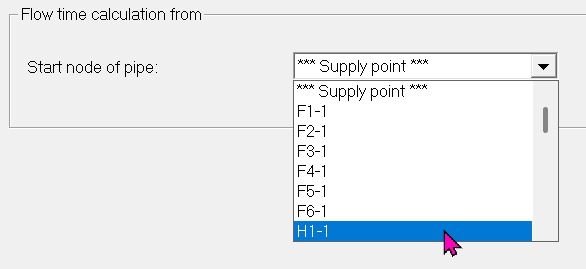
Calculation mode


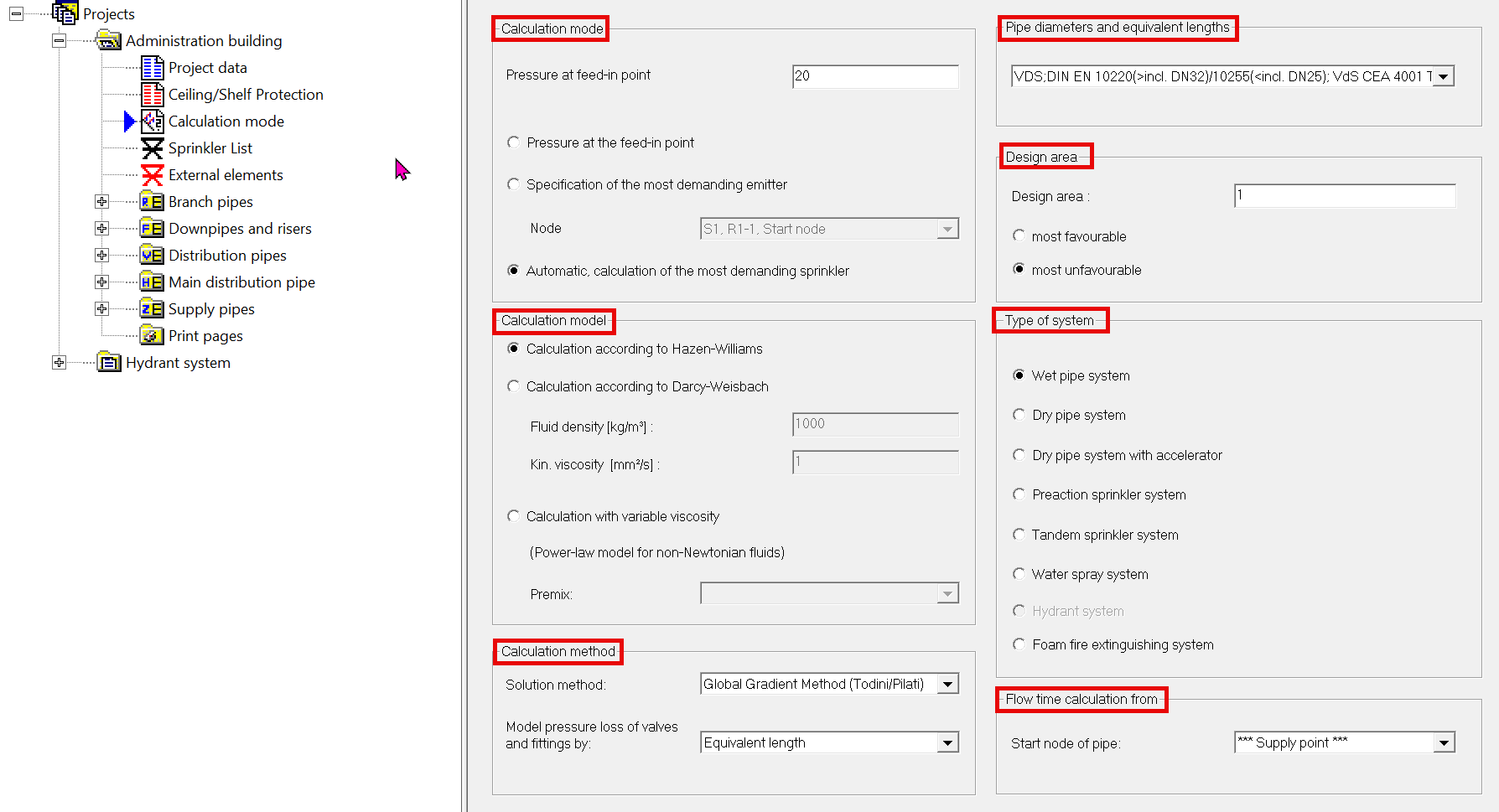
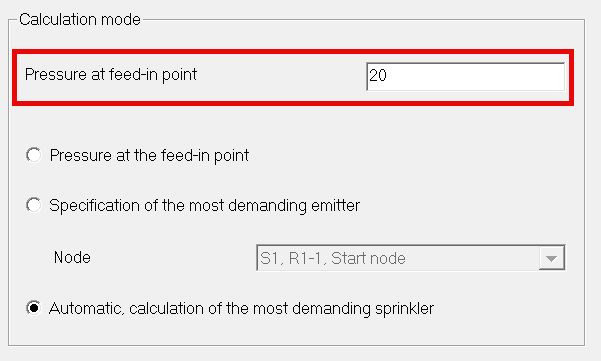
The user specifies a constant pressure at the feed-in point.
The user specifies a branch pipe and a sprinkler
This option combines the first two methods.
First, the user specifies a pressure at the feed-in point. (The default value of 20 bar is recommended.)
This pressure should be higher than the one determined at the end of the calculation.
Using this specified pressure at the feed-in point, the program determines the most unfavorable sprinkler.
In the second run, this sprinkler is then specified as the most unfavorable one.
The pressure at the feed-in point calculated in the first run is used.
You can use either of the following tables.
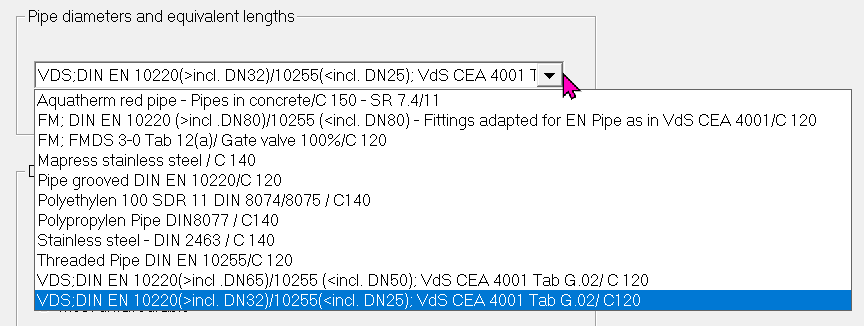
or create your own table. If you want to reuse your table from Version 5, replace the AEQUIVAL.DAT file in the path C:\Users\YOUR USER\AppData\Local\IDAT GmbH\Sprinkler\V6\Core with your own file from Version 5. (Path for Version 5: C:\Users\YOUR USER\AppData\Local\IDAT GmbH\SpriCalc).
If you want to combine your own equivalent length tables with the new tables, you have to export your own tables, reload the new table as described above, and then import your own table using the export file.
Note: WinSprink has to be closed and then appear again each time a change is made to the AEQUIVAL.DAT file. Only then will the new file be recognized.
Not all pipe types are included in the standard equivalent length tables.
It is therefore advisable to create an own table.
The attached tables are intended for common pipe types in sprinkler systems, while equivalent lengths for pipe bends and elbows have been taken from the VdS regulation.
The lengths of the components can vary, depending on the manufacturer, especially for alarm valve stations. Information on component lengths can be found in the manufacturer's documentation.
The values in our table are only rough guide values for the initial planning.
Please take into account the equivalent lengths according to the manufacturer's specifications in the final calculation.
The number of the design area is used to control which sprinklers are to be included in the calculation. An active area number is specified for each sprinkler to be calculated on a branch pipe.
The marking of favorable or unfavorable is not relevant for the calculation and marks in the report which type of active area was calculated.
Example: Calculation with water at 20°C for High pressure extinguishing units (possibly the calculation has to be made with lower temperatures according to the relevant regulation)

The material parameters Fluid density (in kg/m³) and Viskosity (in mm²/s) are required.
If calculating with Darcy-Weisbach, the pipe roughness has to be entered in WinSprink in 1/100mm, because it's part of the formula (check manufacturer's documentation). After switching the calculation model to the Darcy-Weisbach model, the input value for pipe roughness will change. You have to manually enter the new, appropriate pipe roughness value.
Example: A pipe roughness of 0.5 mm corresponds to a value of 50 in 1/100 mm.

Therefore, there is no constant viscosity in the pipe system, that can be used for calculating from the feed-in point to the sprinkler.
Rheological measurement data of the premixes are used as a basis for the calculation in the program (Exact data of the premixes should be obtained from the manufacturer!) The data can be added in the table of Premixes and used in the calculation.
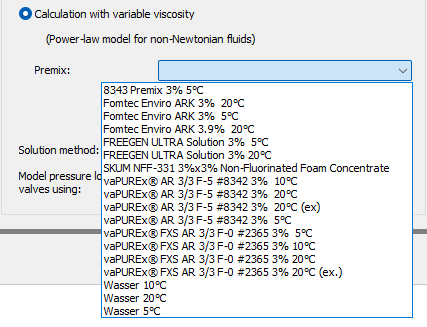
IMPORTANT: At the time of the roll-out of the current version, the rheological data of the manufacturers on the premixes were insufficient.
Therefore warning messages appear, due to incomplete data. This is also indicated on the cover page of the report.
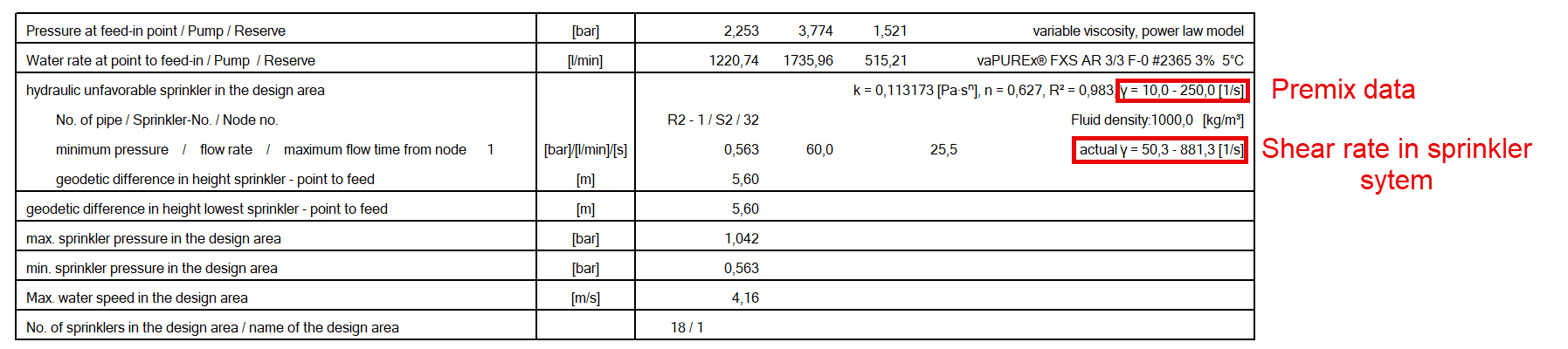
The calculation is being performed, but is interrupted at e.g. 250 1/s. The report is generated, but the results are not correct. In this case, the rheological data for the premix have to be expanded. Ask the manufacturer!
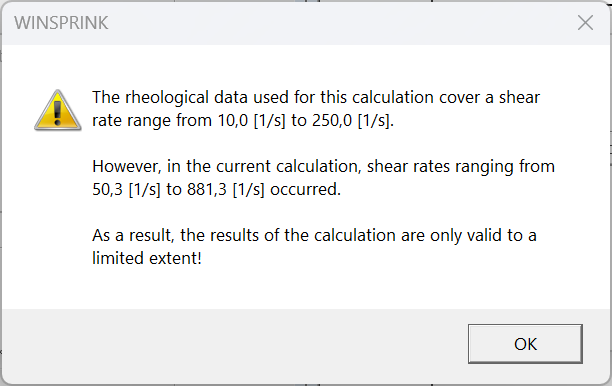
Example of incomplete calculation:
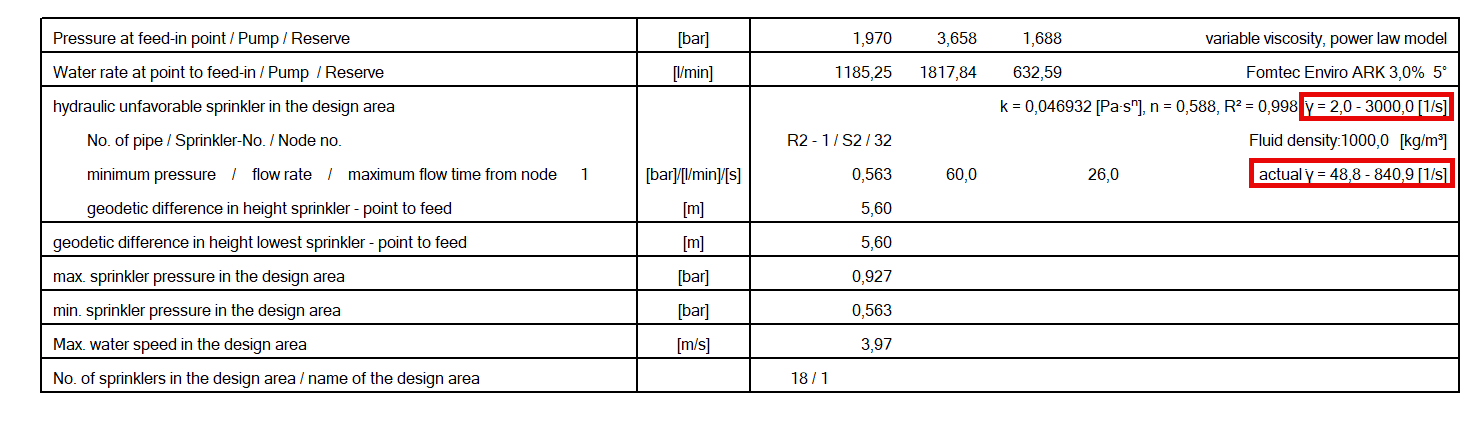
Example of a complete calculation. The manufacturer's rheological data is sufficient:
For calculations involving variable viscosity, the pressure losses of valves and fittings have to be modeled using a flow/pressure loss coefficient rather than their equivalent length.
Verify the K-factor for fittings and the Kv value for valves by the manufacturer’s documentation!
Existing equivalent length tables can be converted automatically, using the program equivalent length table or entering values directly for the fittings.(by AL = Additional length).
If the conversion has been performed while calculating using flow/pressure loss coefficients in the program equivalent length table, the values entered are automatically used for the calculation.
However, the component has to be listed in the equivalent length table. The butterfly valve, for example, is missing there (Manuel entry as AL).

The selection of wet or dry system, etc. also influences the selection of the alarm valve from the equivalent length table.
e.g. wet system - equivalent length of the wet alarm valve from the “wet alarm valve” column, according to the selected dimension, is used for the calculation (marked V). “Wet system” is marked in the report.
These can be used for all calculation methods, except for the Variable-Viscosity Calculation. (-> only the Hardy-Cross Method or the Global Gradient Method by Todini/Pilati)