Enter pump and feed-in-point
Icon:

Function: Enter the feed-in point or pump symbol. Starting point of the calculation.
After executing the command, the following input options appear in the properties palette.
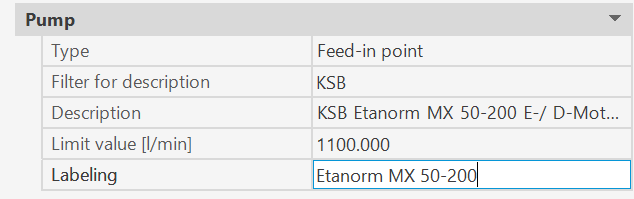
Each pump or feed-in point entered is assigned the previously defined properties.
The data can be modified at any time during the command sequence.(*)
The command prompt appears in the command line

- U : Undo the last entry.
<Select pipe> → Selection of a pipe on which to enter the feed-in point or the pump icon (or both).
If you want the pump icon and the feed-in point to be located at the same position, you have to enter the icons one after the other and place them on top of each other.
Selection in the Properties palette:
- Feed-in point: The symbol is placed at the starting point or end point of the pipe
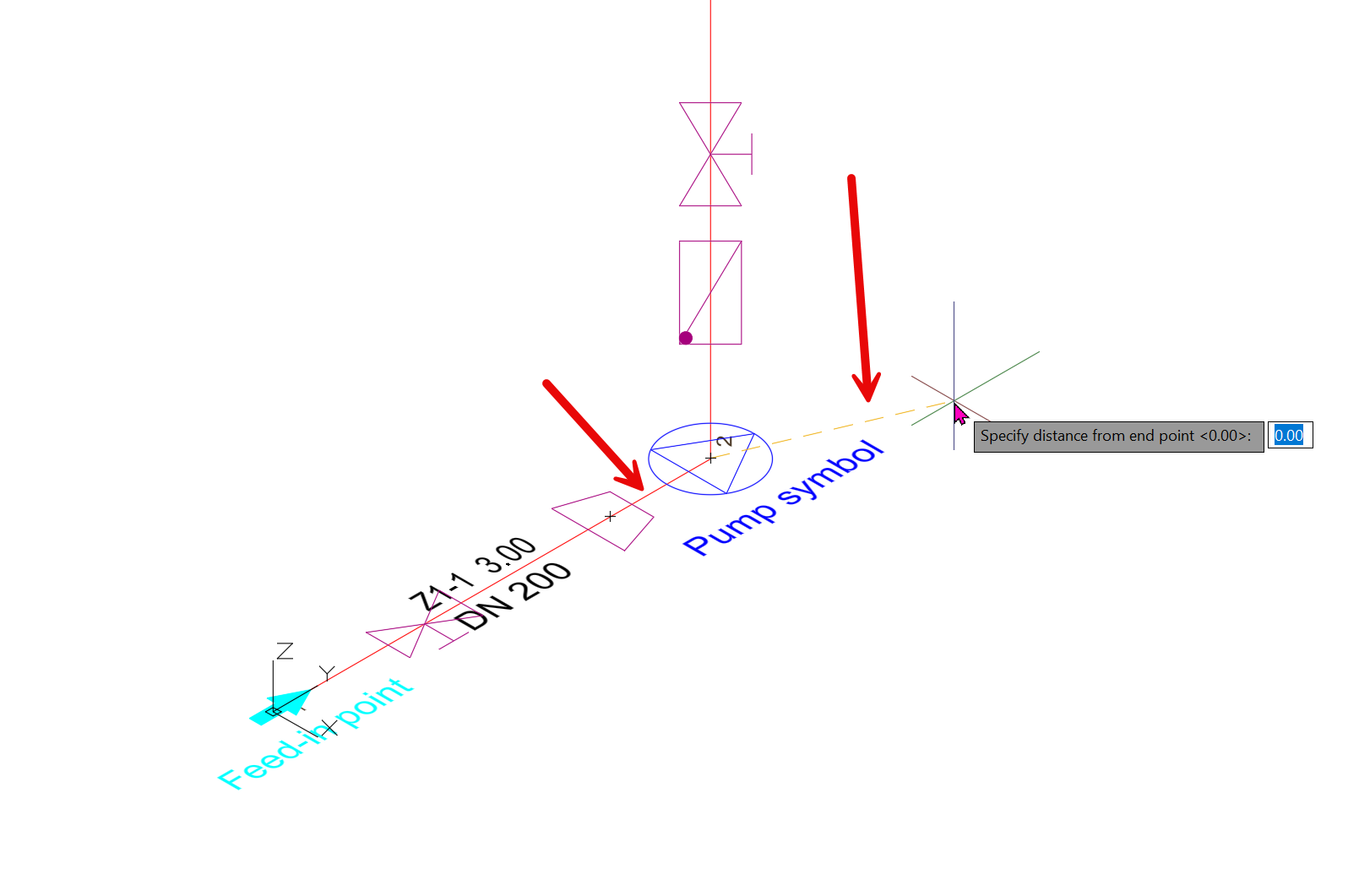
- Pump: A prompt appears in command line:

A new pump symbol is installed at the position on the pipe determined in this way.
For information: Whichever point is closer to the selected point when choosing a pipe will serve as the starting point for entering the symbol (indicated by a flexible line at the cursor).
(*)
If the value of the CAD system variable COMMANDPROPERTIES is 0, nothing is displayed in the Properties palette; instead, after selecting the pipe, a prompt to select the type appears in the command line:

All three options are possible here.
Note: A different pump may be specified in the pump icon than at the feed-in point. However, the pump at the feed-in point is the one used for calculations!
Related topics:
Pump/ Feed-in-point - properties
Pump/ Feed-in-point - properties dialog