Pump/ Feed-in point
After selecting a pump or feed-in-point, "Advanced properties" can be opened in properties or via right-click in context menu:
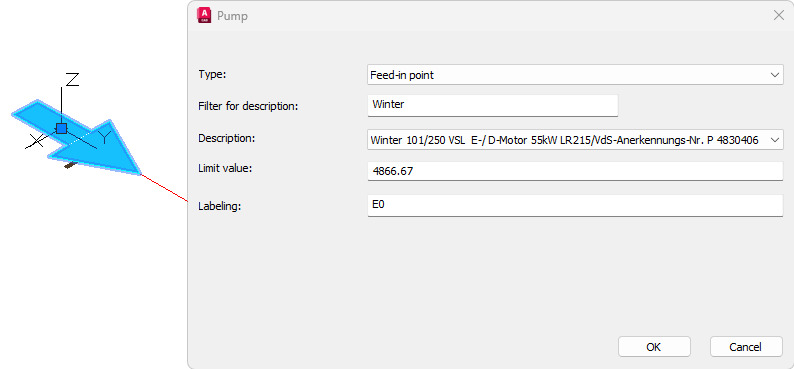
The following data can be changed:
- Type:
- Feed-in-point: Defines the starting point of the calculation (see above)
- Pump: Position of the pump in sprinkler network
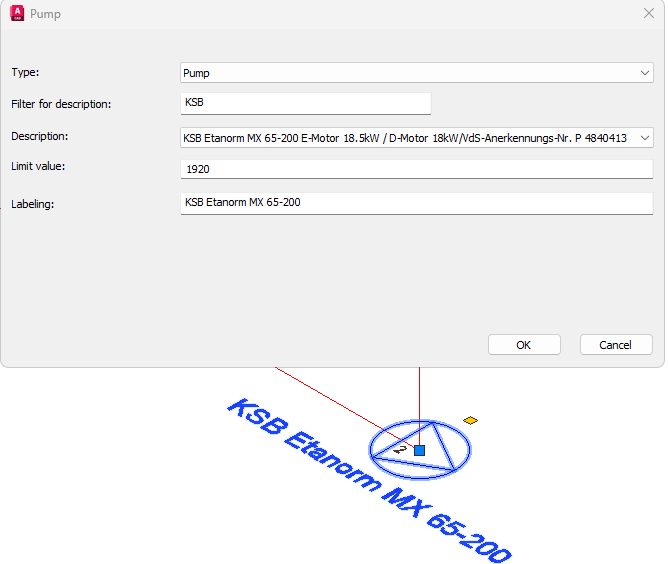
Note: Different pump types can be added in both entries, but the calculation only includes the pump on the feed-in-point!
Entries have to be verified with the actual situation. Even when no pump is selected in pump type, the calculation can be made.
- Filter for desciption: One or more key words can be used to find a specific pump (e.g. Name of Manufacturer, Pump Model, etc.)
- Description: List of pumps from data base or filtered pumps
- Limit value: Limited value of the pump
- Labeling: Label of the pump in drawing
Related topics:
Edit/Modify Pump/Feed-in-point by properties