Settings
Function: User-defined program settings and report settings:
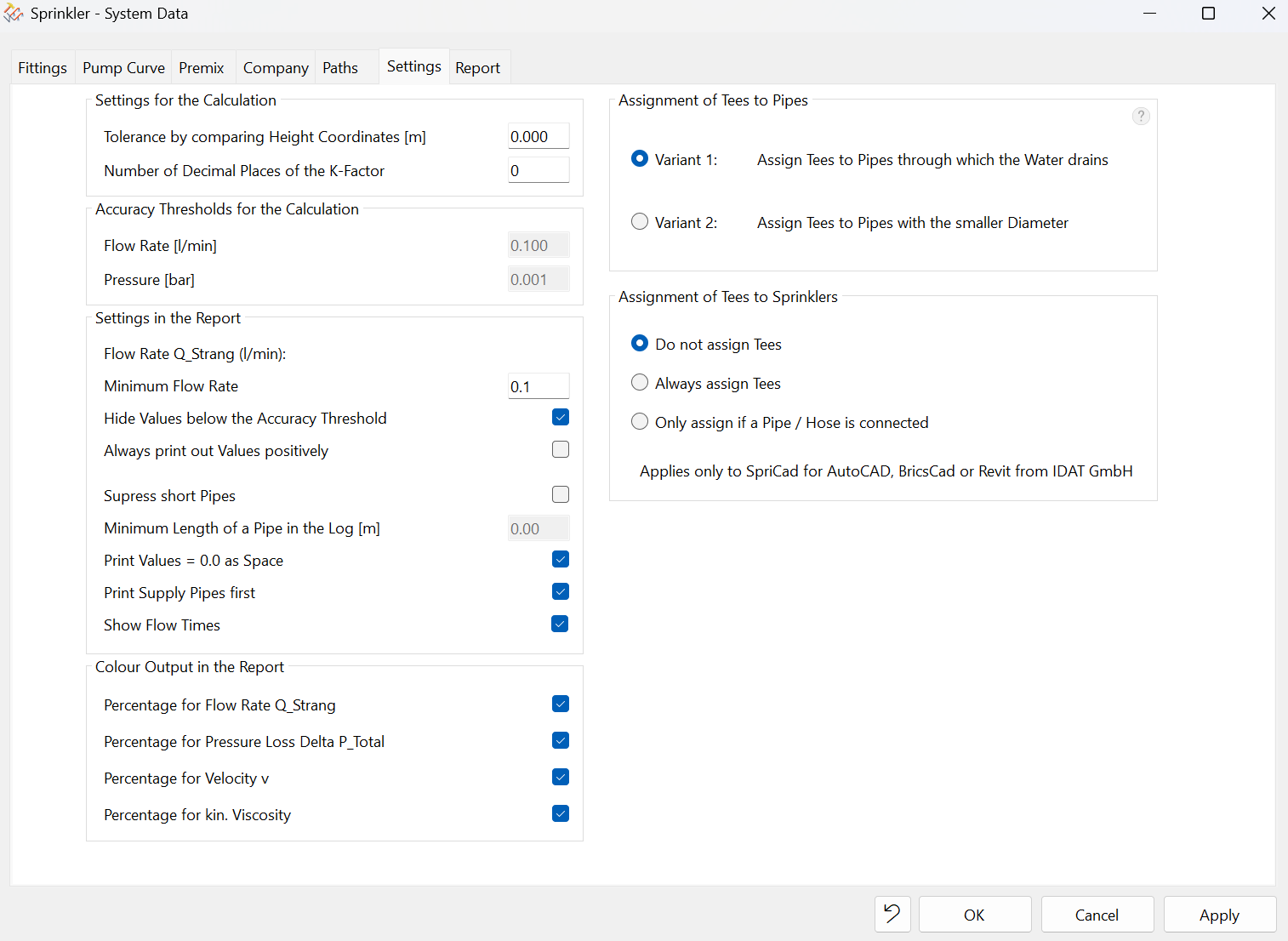
- Settings for the Calculation:
- Change the tolerance when comparing elevation coordinates; for example, reduce the tolerance. In other words, this determines whether minor drawing inaccuracies (Z-value) are compensated for or not.
- Set the number of decimal places for the K-factor, which is useful when calculating K-factors
- Accuracy Thresholds for the calculation
- Flow rate (l/min) -> The recommended value is a maximum of 0.1 l/min.These values cannot be changed by the user, as doing so would affect the calculation, which would then no longer comply with the relevant regulations. The values are read-only.
- Pressure (bar) -> 0.001 bar is the default setting and is read-only. It cannot be edited. These settings affect the calculation, which then will no longer comply with regulatory requirements if changed.
- Settings in the Report:
- Flow Rate Q_Strang (l/min)
- Column: Q_Strang for flow rate -> Controlling the visibility of rows in the report (Minimum Flow Rate)
- Hide values below the accuracy threshold -> the entire row will be hidden!
- Always print out values positively -> Minus signs before the values in this column are hidden. These normally indicate pressure gain or loss depending on whether the pipe is rising or falling. Flow is still always shown with a positive sign
- Suppress short pipes -> If necessary, rows with a specific, e.g., very short pipe length can be hidden from the report. Enter the desired Minimum Length (> the desired value) to be hidden. However, the pipes are still always included in the calculation!
- Print Values equal to zero should be displayed as empty fields on the report. This improves the clarity of the printout.
- Print Supply Pipes first (recommended) -> Check box (Pipe type "Z")
- Sprinklers first -> Uncheck box
- Show Flow Times in the Flow Time column
- Check the box - The Flow Time column displays all flow times for all sprinklers
- Uncheck the box - The Flow Time column remains empty
- Color Output in the Report
- Flow Rate - Q_Branch column
- Total Pressure Loss - Delta p total column
- Velocity - v column
- Kinematic Viscosity - column k.viscosity
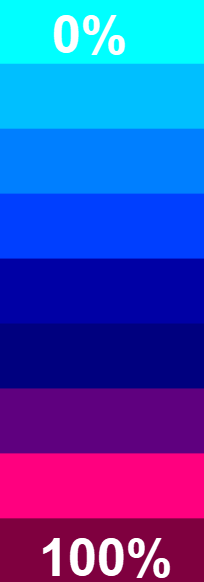
- A color scale is applied based on the highest and lowest values resulting from the calculation for the respective columns.
- 100% is the highest value. 0% is the lowest value.
- 100% is the darkest color. 0% is the lightest color.
- This provides an overview of the highest and lowest values per column. The color filters can also be turned off (uncheck the box).
- Assignment of Tees to Pipes
- Assignment of Tees to Sprinklers:
- See also Tees
Note: In older versions, these settings could only be changed manually in Sprink.cfg.