License
The program is protected by software protection.
This is a software license. The driver for this license is automatically set up during installation.
To license your software (only if this is your first time using it) open the activation link provided by IDAT GmbH in your browser on your computer.
Instructions to install the license are usually provided by IDAT GmbH.
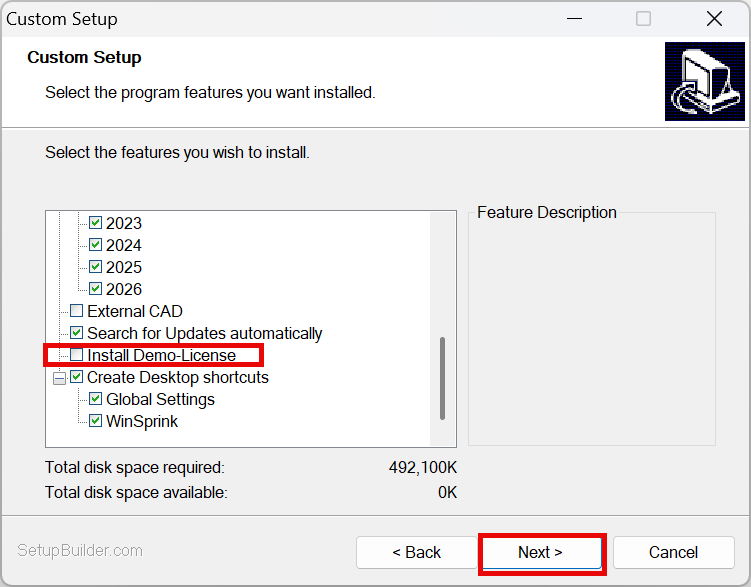
When installing the program with an active license, do not select “Install demo license” (See also Installation.)
You will receive an activation link for licensing your software.
Run the activation link and activate the available licences.
1. Set CmActLicense
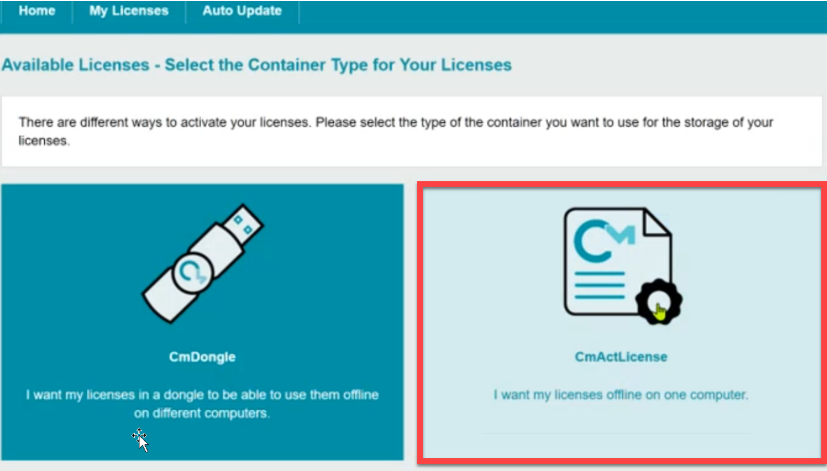
2. Click on Activate licenses now
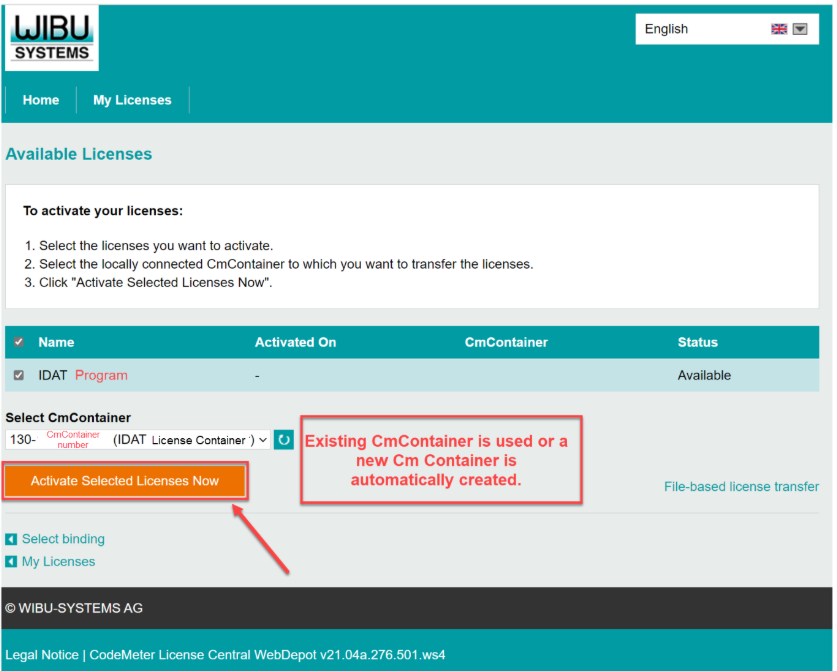
Please keep your personal activation link in a safe place.
If you change your computer, first return the license using the “Re-Host” function, and then reactivate it on the new computer using the activation link to assign it to a new CmContainer.
The license is always connected to a specific computer.
3.Open the activation link provided by IDAT GmbH in your browser on the old computer.
Click on “My Licenses”
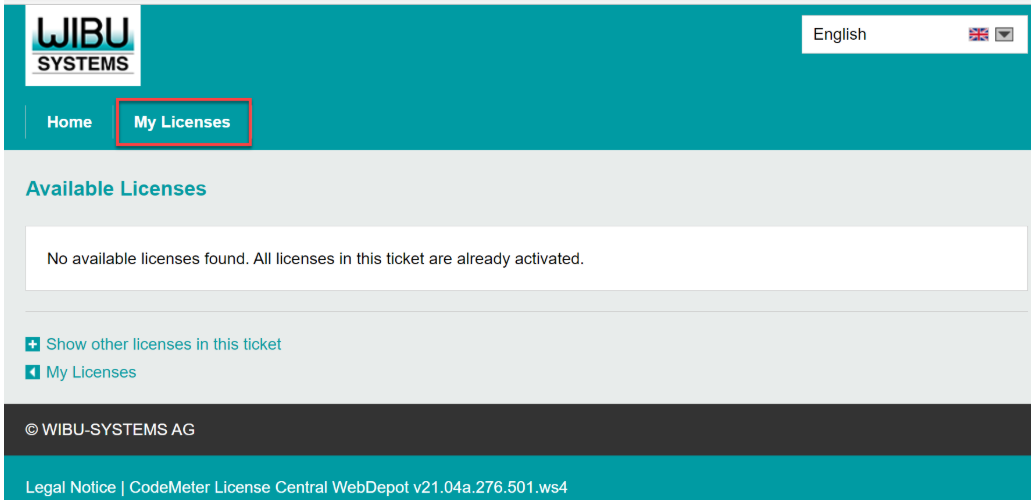
4. Click on "Re-Host licenses"
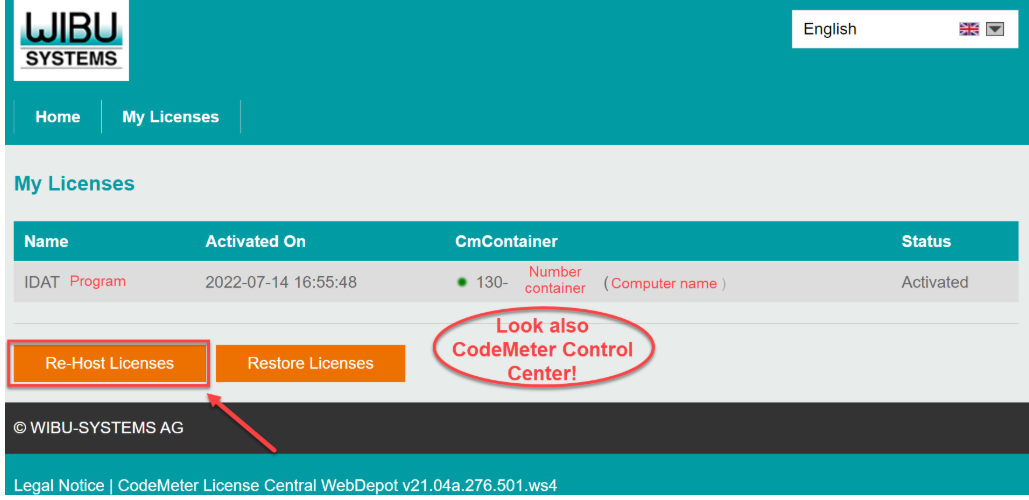
5.Click on "Deactivate Selected Licenses Now"
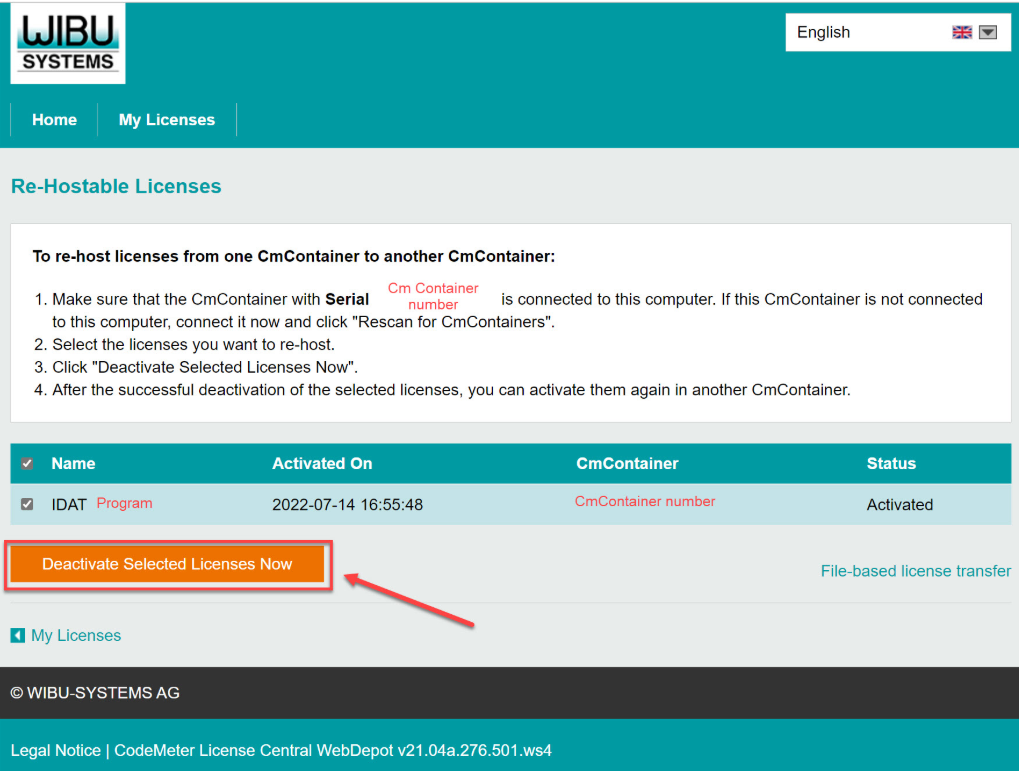
6. Reactivate the license on the new computer.
Open the activation link in your browser on the new computer.
Then see “Activate License”.
If you encounter any problems with the installation, please contact our Support Team. (www.idat.de)
If you own a network license, the activation link has to be executed online on the server.
The client computers then access the server and receive the license via network.
The program is protected by Codemeter from WIBU.
This driver is automatically installed along with our installation files.
If you need further information about Codemeter, please visit http://www.wibu.com or contact Wibu-Systems customer support.
You can also find it directly on the IDAT homepage: IDAT Programs - Licenses.