License
The program is protected by software protection.
This is a software license. The driver for this license is automatically set up during the installation.
If using the license for the first time, the activation link provided by IDAT GmbH has to be opened in a web browser on the computer.
Instructions on how to install the license are usually provided by IDAT GmbH.
When installing the program with an active license, the checkbox “Install demo license” has to be unchecked. (See also Installation)
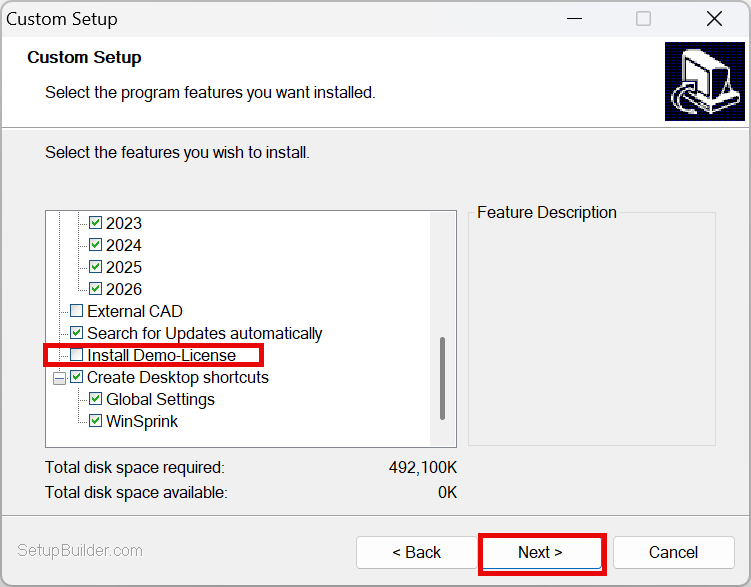
After running the installation setup, the activation link will activate the license.
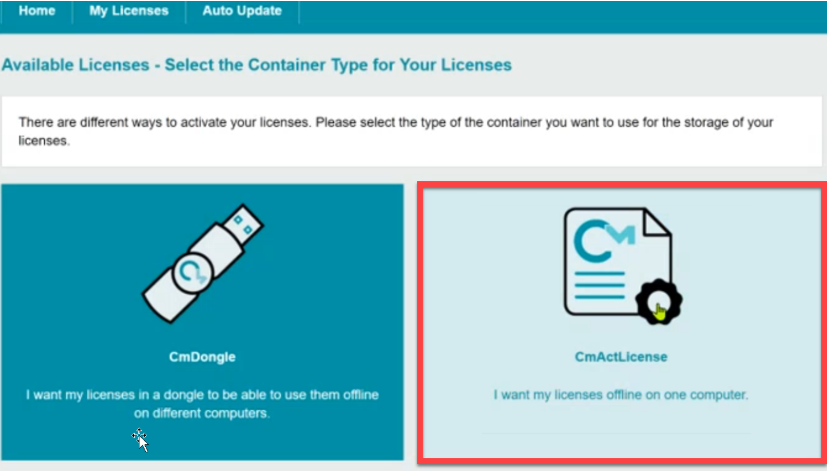
1.Selecting CmActLicense
2. Activating licenses now
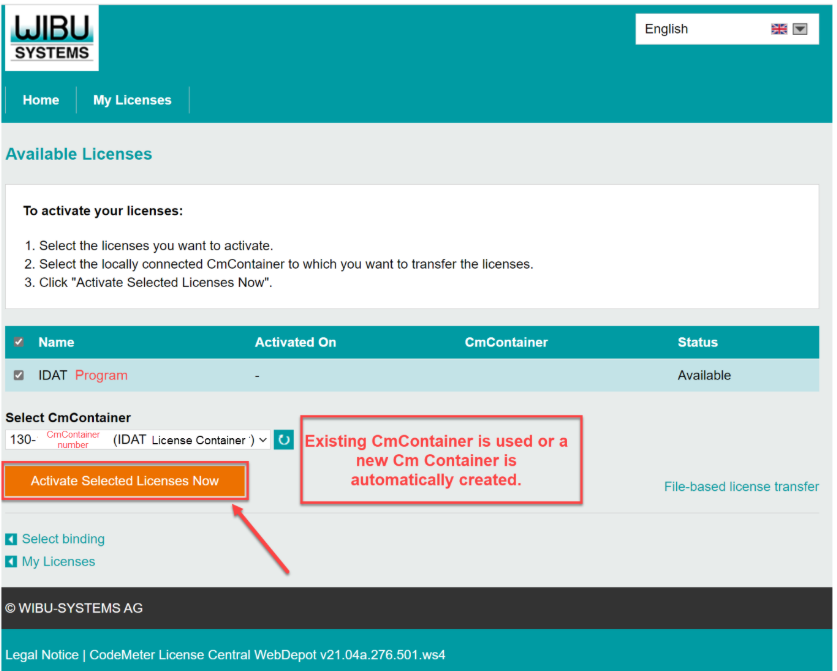
The activation link is assigned personally and should be stored safely.
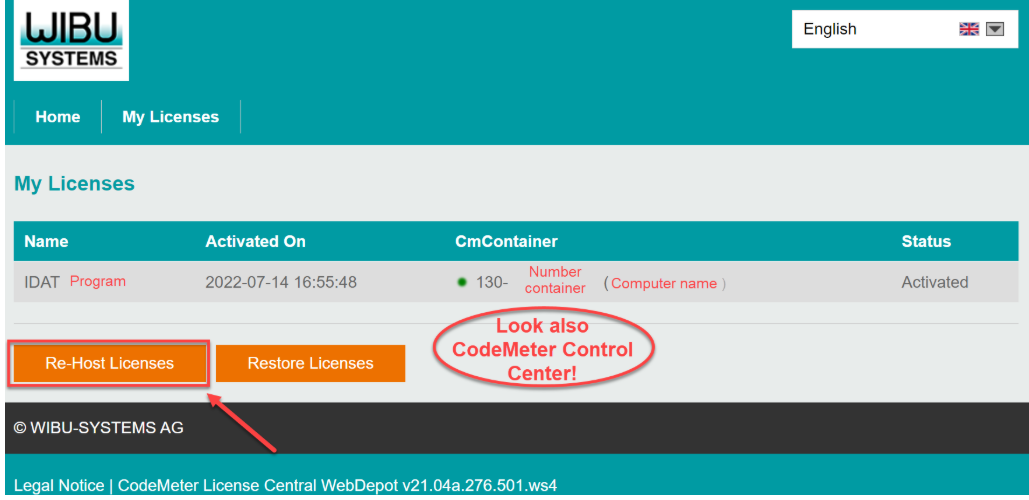
If switching the computer containing the license, the license has to be returned by using the “Re-Host” function.
Then the license can be reactivated on a new computer using the activation link to assign it to a new CmContainer.
The license is always connected to a specific computer.
3. The activation link provided by IDAT GmbH must be opened in the web browser on the old computer.
The following screen appears:
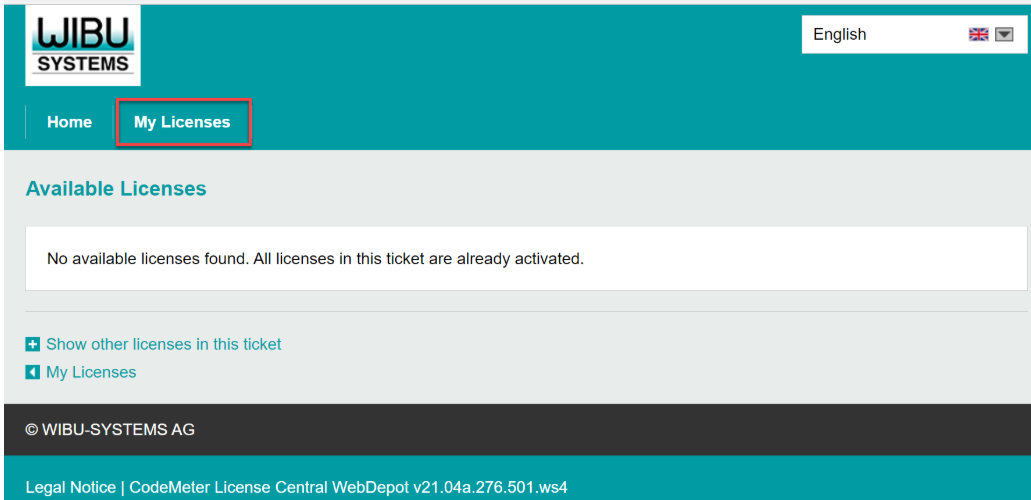
4. First the tab “My Licenses” must be selected to "Re-Host licenses" from one CmContainer to another:
5. "Deactivate Selected Licenses Now"
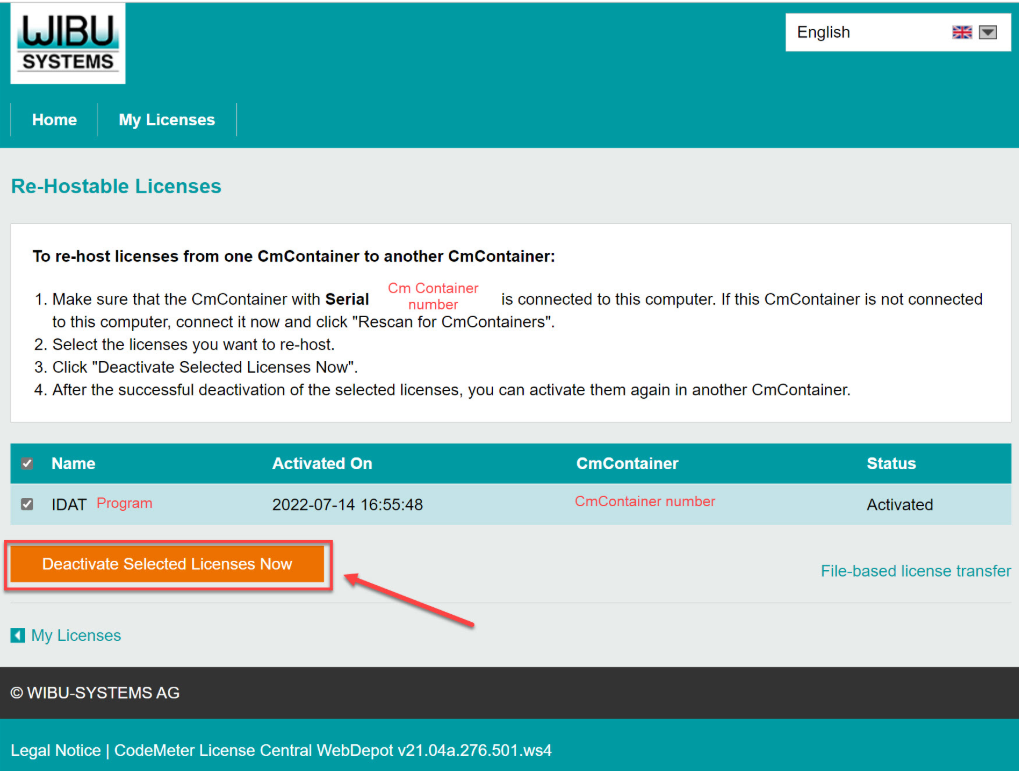
6. After following the steps, the license can be reactivated on a new computer by opening the activation link again in a web browser on the new computer.
(See “Activate License”)
If encountering any problems with the installation, our Support Team is available for further assistance. (www.idat.de)
When using a network license, the activation link has to be executed online on the server.
The client computers then access the server and receive the license via network.
The program is protected by Codemeter from WIBU.
This driver is automatically installed along with our installation files.
Further information about Codemeter can be retrieved on http://www.wibu.com or by contacting Wibu-Systems customer support.
An additional License Manual can be found on the IDAT homepage: IDAT Programs - Licenses.