Function: Specify the output pages for the report
This also depends on the type of system, e.g., NFPA. (By default, the overview is generated according to VdS or FM specifications.) NFPA requires a separate list of calculation results.
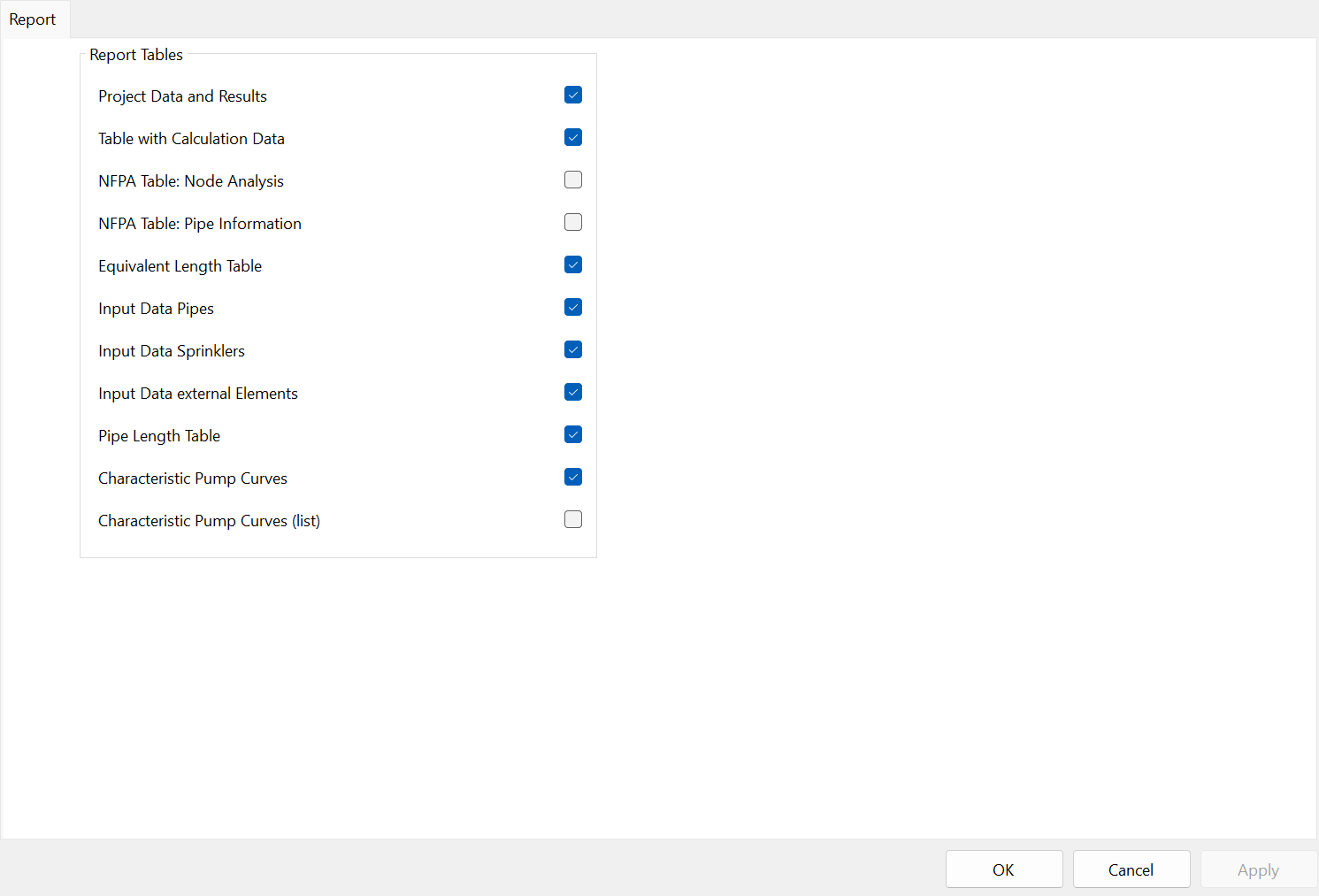
- Project Data and Results
- Report cover page with project and calculation information
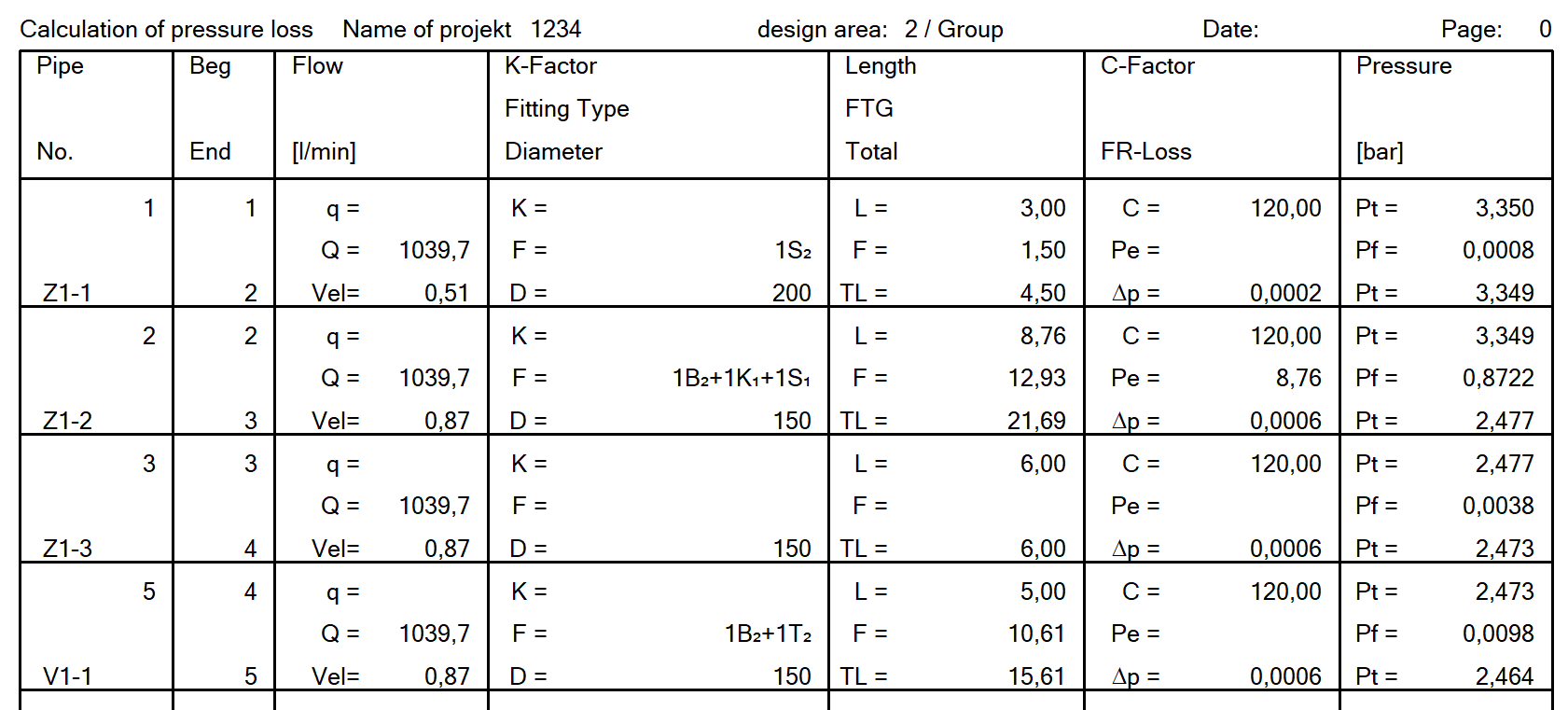
- Table with Calculation Data
- Calculation results per pipe segment

- NFPA Table: Node Analysis
- Check this box for NFPA projects
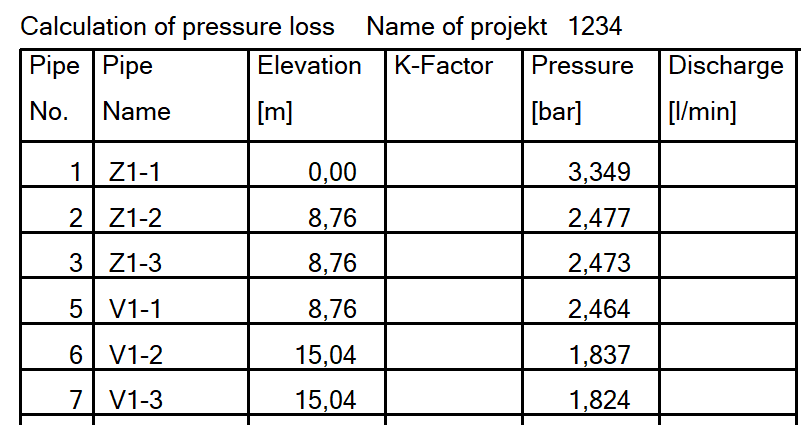
- NFPA Table: Pipe Information
- Check this box for NFPA projects
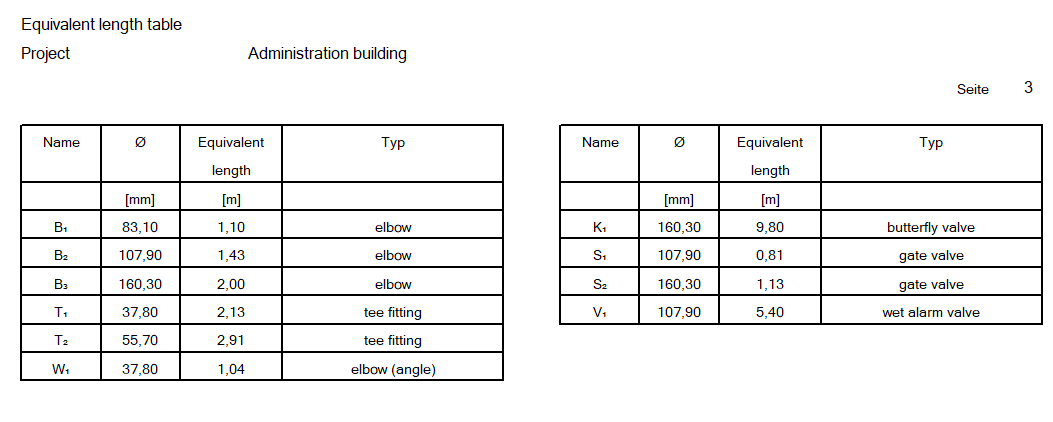
The report no longer displays DN values; only inner diameters are shown
Only the inner diameters used, along with the fittings and components used and their equivalent lengths, are clearly listed. Duplicate fittings or components with different dimensions are numbered sequentially. This ensures that their use in the report is clearly identified

- Input data of all the pipes in a table as overview.
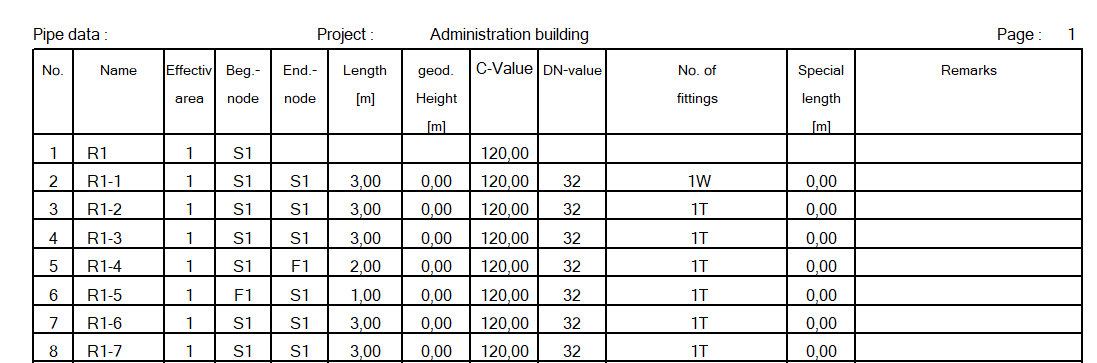
- Input data of all the sprinklers in a table as overview.

- Input Data external Elements
- Input data of all external elements, e.g. fire hydrant, in a table as overview.

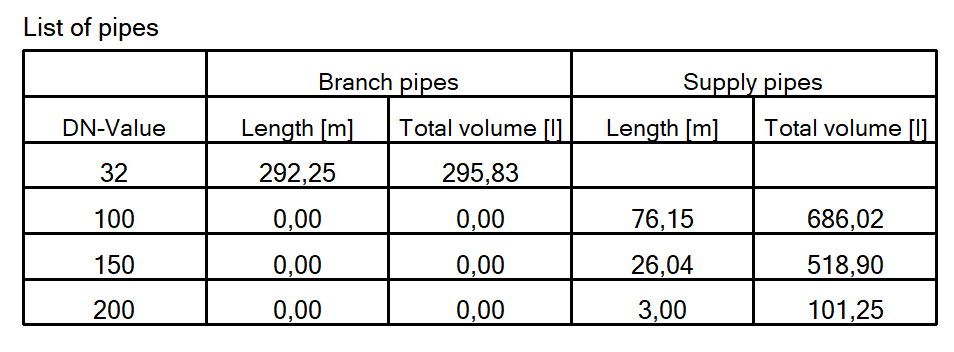
- Pipe length table - List of pipes
- Summary of the pipe lengths used, listed in the material list. Note: Only the pipe lengths of the calculated pipe networks are summarized. Not suitable for ordering.
- Characteristics Pump Curves
- Graphical representation of the pump performance curve with calculation results -> See the chapter on Pump Curve
- Characteristics Pump Curves (List)
- List of all pumps in the report from the pump database, including their approval limits, approval numbers, or pump descriptions. (Not recommended)


