Drawing units
"Drawing units"
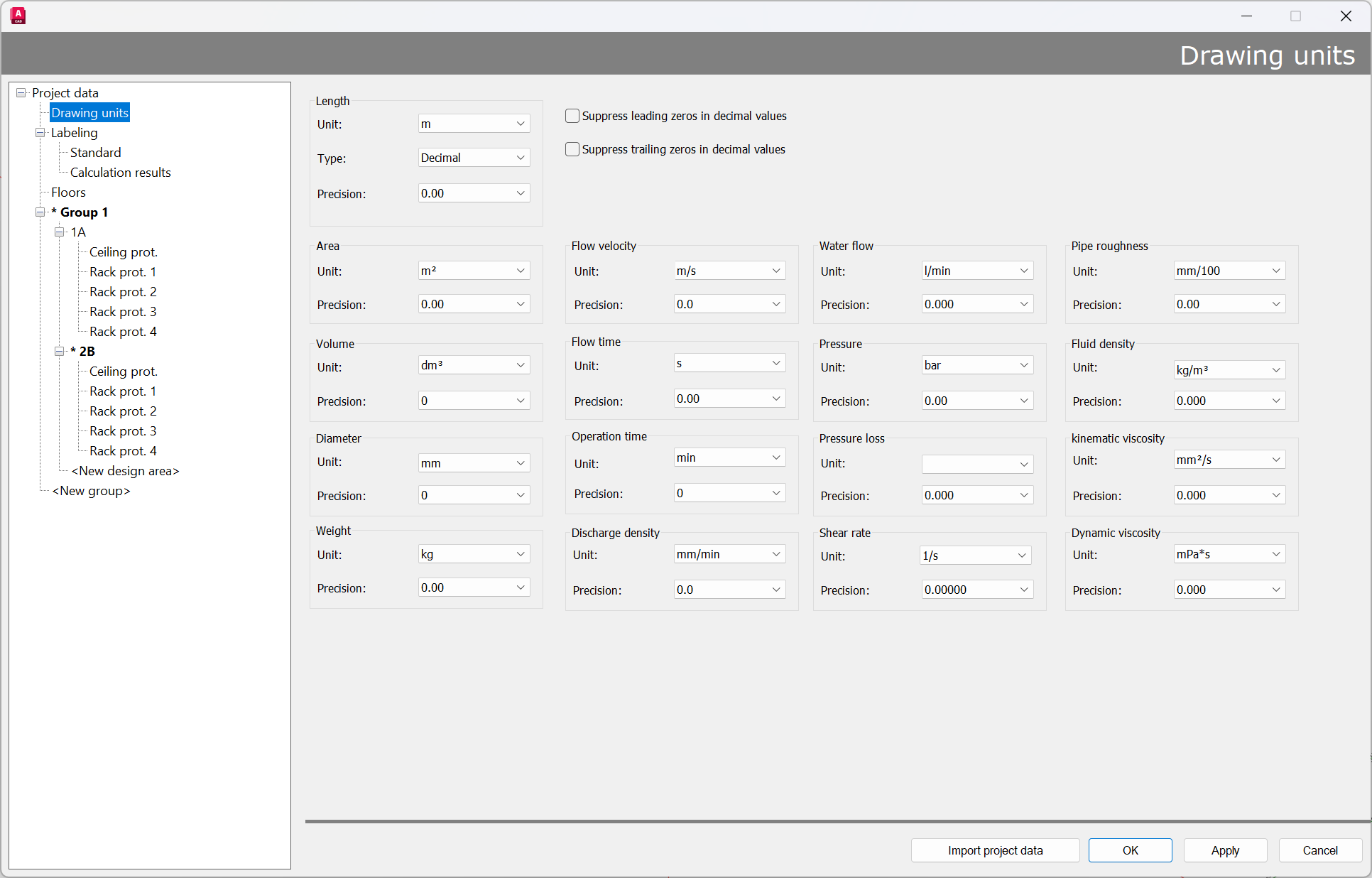
The unit of measurement for the drawing in advance can be set (Length) in meters, decimeters, centimeters, millimeters, feet, inches, or yards.
Drawings can also be rescaled later.
Procedure:
- Set new unit
- Answer the dialog
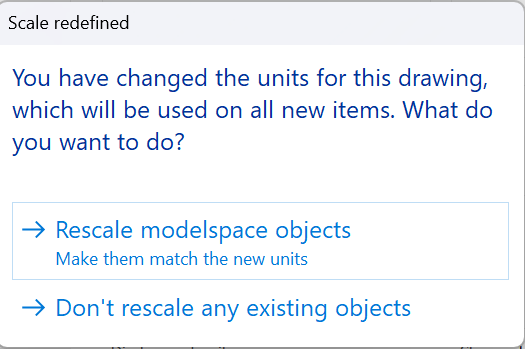
Note: With this selection, objects are always scaled when “Rescale modelspace objects” is selected.
Exception Example:
- The drawing was created in mm and the scale was set to m -> as indicated by very small labels
- Conversion to mm
- In this case, the model area objects must not be scaled; otherwise, they will be scaled by a factor of 1000, which would be incorrect in this instance! In all other cases objects had to be scaled.
In addition to the drawing unit, all dimensions can be changed here as desired using the unit appropriate for the project.
However, the output in the report remains in, for example, m/l/min.
A drawing created in inches is then converted back to meters by the calculation program for the report.
A conversion of the calculation engine to international units is planned for future versions.