Copy
Icon:

Function: Duplicating sprinklers, branch pipes, pipes, pumps, and fittings.
First, you must select the elements to be duplicated

(Description in chapter Select/ Modify components).
Once you have finished selecting the elements to be copied, you have to specify the location of the new elements.
This is done by entering a base point

and a second point

The selected elements can also be inserted multiple times by selecting the “Number” option.
A point can also be entered at a fixed distance from the base point by specifying the desired distance.
Option Number:
Follow the steps above, then click “Number”.
Enter a number of copies, their spacing, and direction (in which the spacing applies).

Enter the distance between copies:

The direction in which the copies should be placed:

Then the program returns to:

Place multiple copies at the desired distance from the base point.
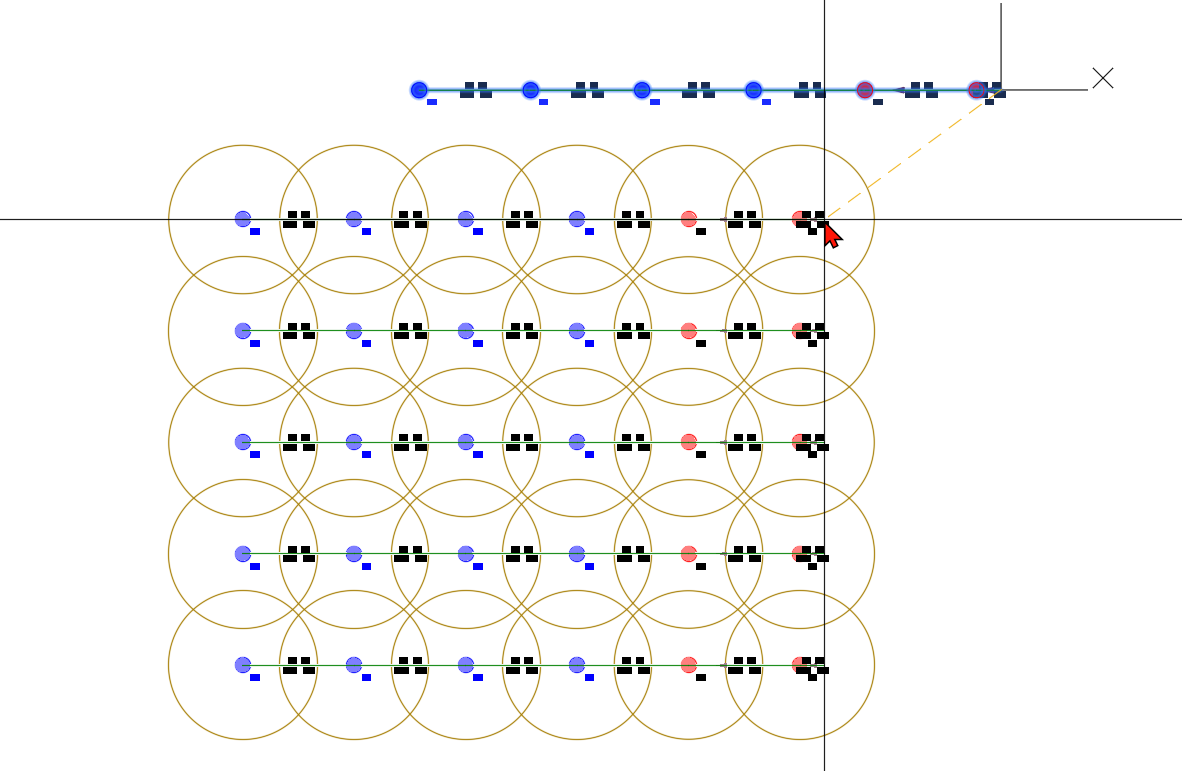
Pipe and branch pipe numbers for the copied pipes or runs are automatically reassigned by incrementing the highest existing numbers accordingly.
Pipe and branch pipe subnumbers, as well as sprinkler numbers, are transferred unchanged.
All pipes and branch pipes that contain start or end points of other pipes or branch pipes, or insertion points for sprinklers, are split at these points and assigned new subnumbers.
Note: The “Copy” command in AutoCAD/BricsCAD can also be used as an alternative. New numbering is also assigned to the pipes.