Settings
Function: User-defined program settings and report settings:
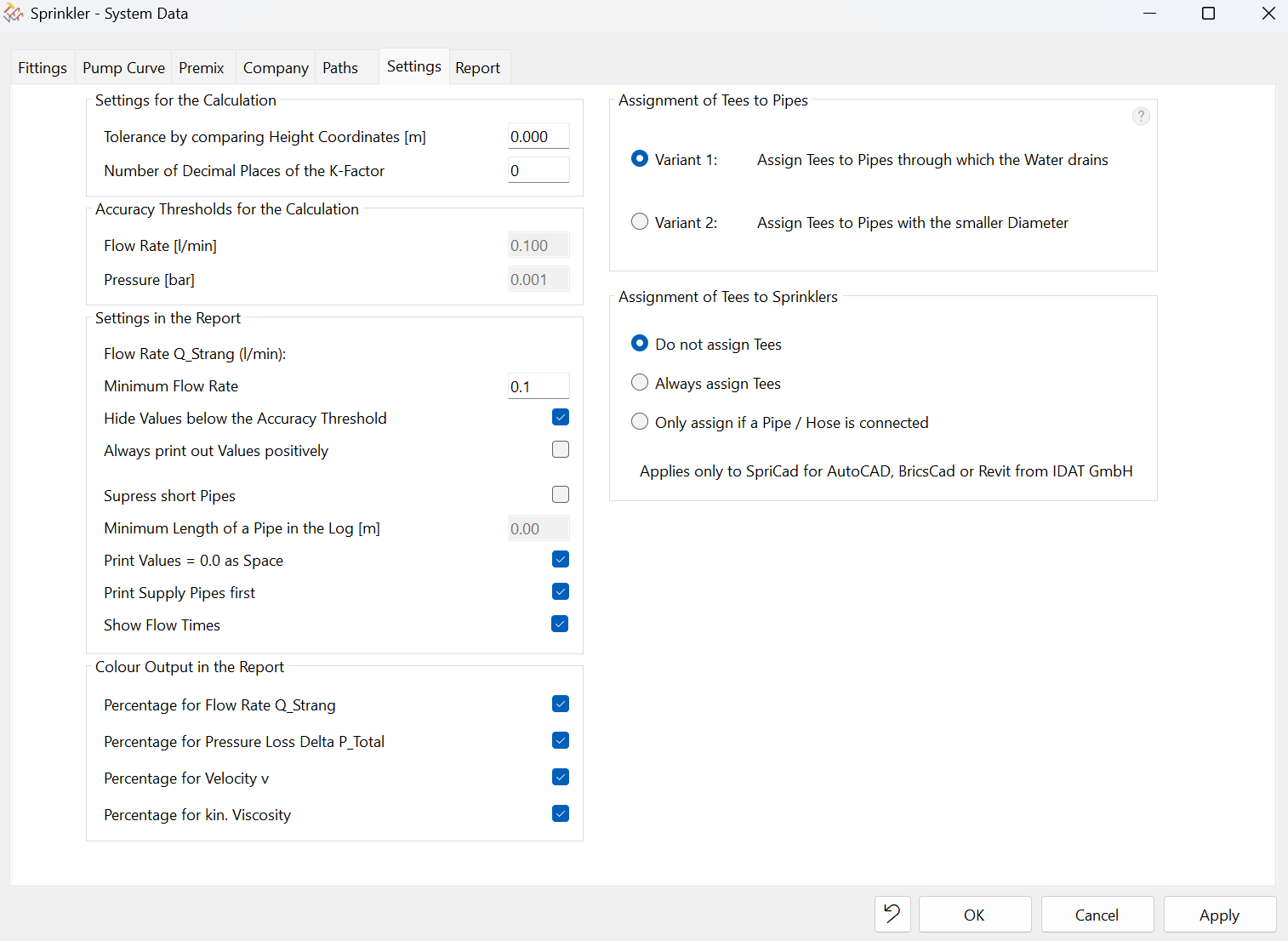
- Settings for the Calculation:
- Change the tolerance when comparing elevation coordinates; for example, reduce the tolerance. In other words, this determines whether minor drawing inaccuracies (Z-value) are compensated for or not.
- Set of the number of decimal places for the K-factor, which is useful when calculating K-factors
- Accuracy Thresholds for the calculation
- Flow rate (l/min) -> The recommended value is a maximum of 0.1 l/min.These values cannot be changed by the user, as doing so would affect the calculation, which would then no longer comply with the relevant regulations. The values are read-only.
- Pressure (bar) -> 0.001 bar is the default setting and is read-only. It cannot be edited. These settings affect the calculation, which then will no longer comply with regulatory requirements if changed.
- Settings in the Report:
- Column: Q_Strang for flow rate -> Controlling the visibility of rows in the report
- Hide values below the accuracy threshold -> the entire row will be hidden!
- Always print out values positively -> Minus signs before the values are hidden. These normally indicate pressure gain or loss depending on whether the pipe is rising or falling. Flow is still always shown with a positive sign
- Suppress short pipes -> If necessary, rows with a specific, e.g., very short pipe length can be hidden from the report. Enter the desired minimum length (> the desired value) to be hidden. However, the pipes are still always included in the calculation!
- Set whether values equal to zero should be displayed as empty fields on the report. This improves the clarity of the printout.
- Print supply pipes first (recommended) -> Check box (Pipe type "Z") - See SpriCAD manual
- Sprinklers first -> Uncheck box
- Display flow times in the Flow Time column
- Check the box - The Flow Time column displays all flow times for all sprinklers
- Uncheck the box - The Flow Time column remains empty
- Color Output in the Report
- Flow Rate - Q_Branch column
- Total Pressure Loss - Delta p total column
- Velocity - v column
- Kinematic Viscosity - column k.viscosity
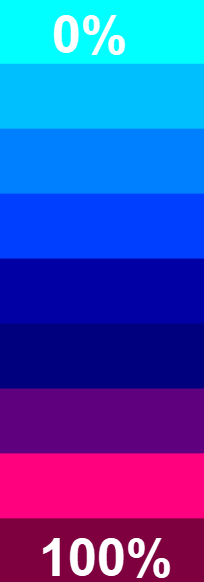
- A color scale is applied based on the highest and lowest values resulting from the calculation for the respective columns.
- 100% is the highest value. 0% is the lowest value.
- 100% is the darkest color. 0% is the lightest color.
- This provides an overview of the highest and lowest values per column. The color filters can also be turned off (uncheck the box).
- Assignment of Tees to Pipes
- Assignment of Tees to Sprinklers:
- See also Tees
Note: In older versions, these settings could only be changed manually in Sprink.cfg.