Premix
Function: Edit, delete, and create premix curves. Preview premix curve.
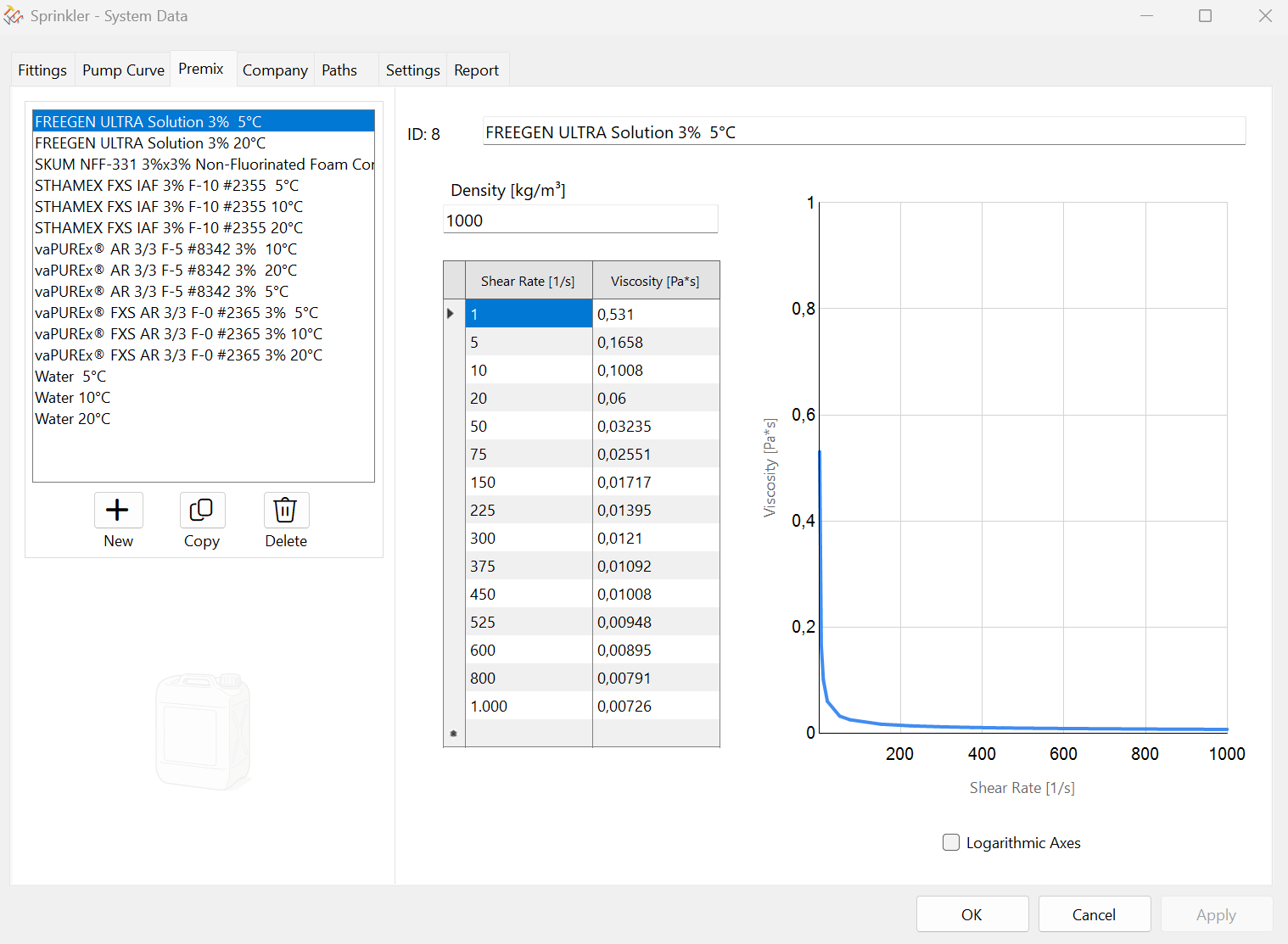
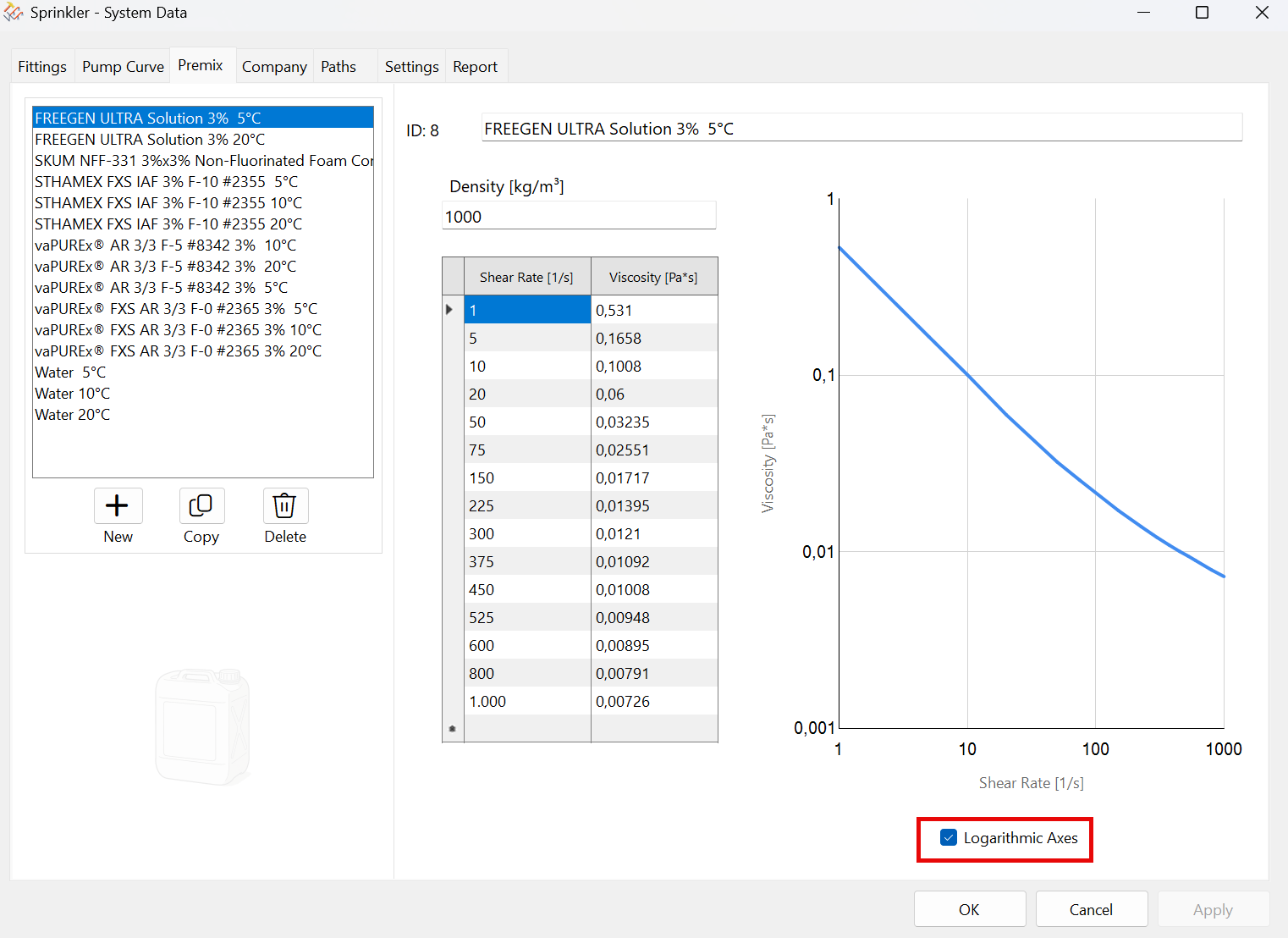
Graph with logarithmic axes (the checkbox at the bottom is selected). The curve becomes a straight line.
You can find the appropriate pair of numbers in the manufacturer's documentation.
You can use the following functions to add, copy, or delete premix curves.

When creating new premix curves or making changes to existing premix curves, you must always click the “Apply” button before switching to a different curve.
Otherwise, a warning message will appear. Values from other curves can be copied and pasted using Ctrl+C and Ctrl+V, even across rows.
This icon also appears while editing  at the bottom of the dialog box. Any changes you've made can be undone immediately.