Stretch
If a sprinkler, a fitting, a pump, or a feed-in point is selected and the mouse is moved over the handle at the object's insertion point (in BricsCAD, the handle point has to be clicked on to select it), the following context menu appears:
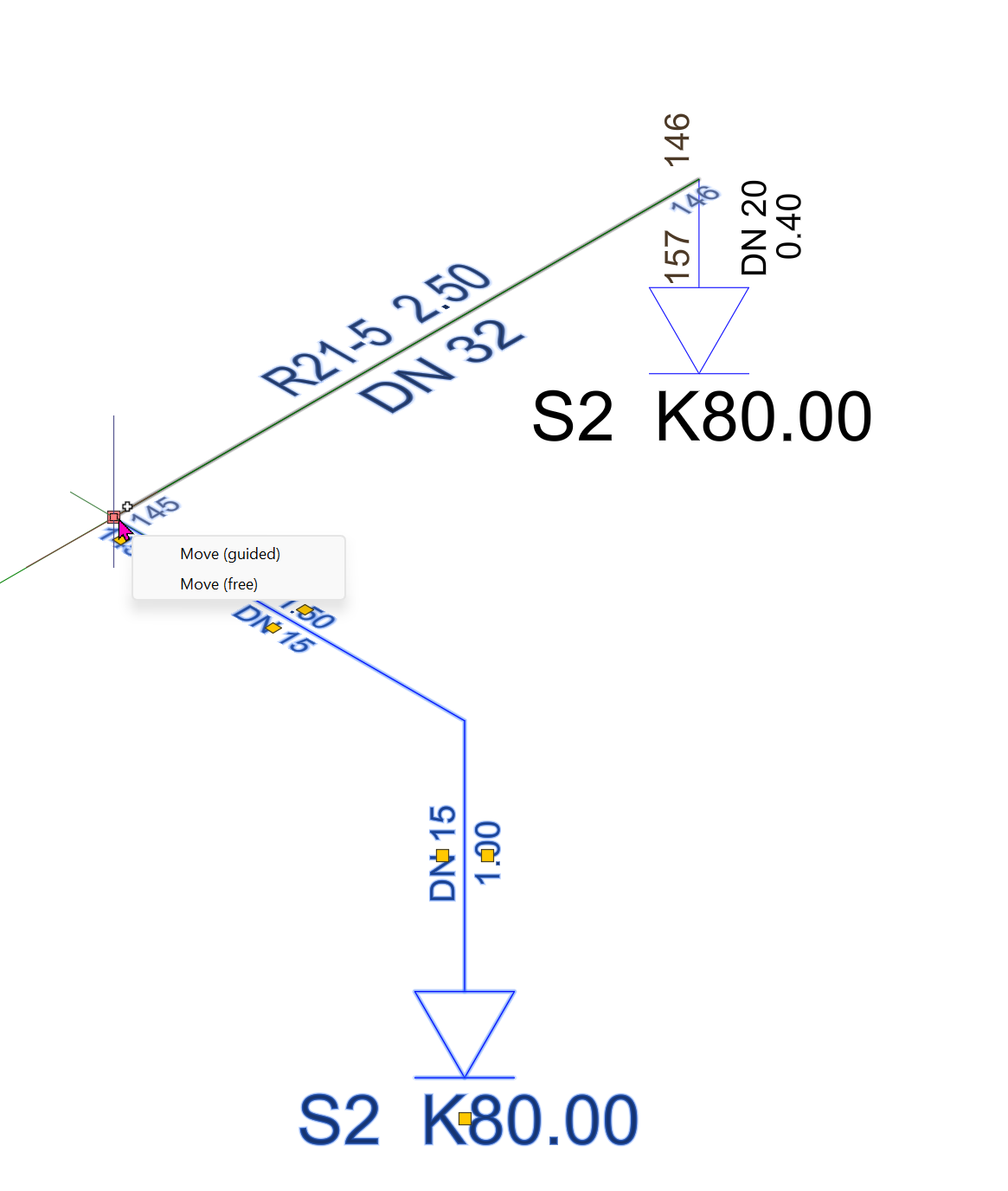
The individual menu items have the following functions:
- Move (guided)
The object can be moved, but the CAD system only allows valid positions. It automatically snaps to the nearest valid point.
For example, a sprinkler can only be moved and positioned along branch pipes.
- Move (free)
The object can be moved to any position.
Select the pipe and move the mouse over the handle (start or end point).
The following context menu appears:
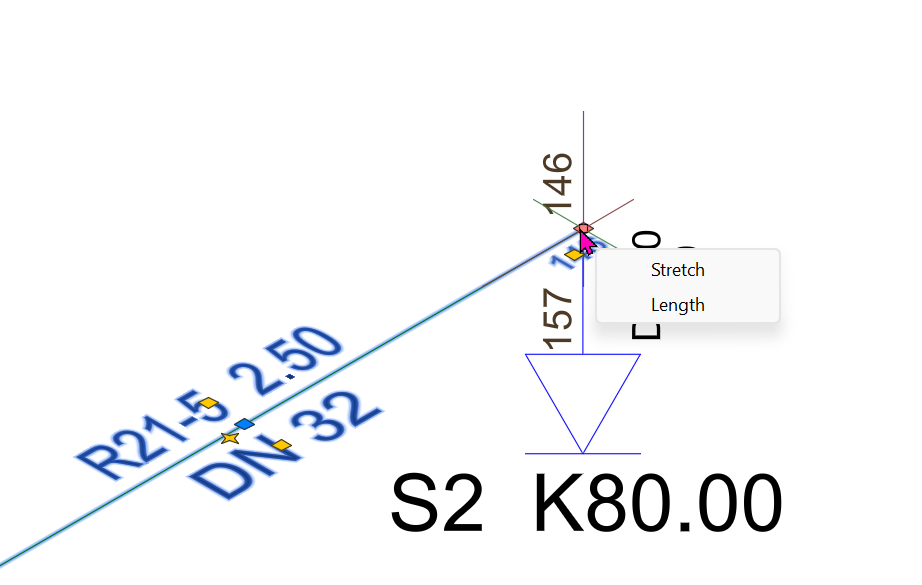
- Stretch
The pipe can be stretched to any point.
- Length
The Pipe can be extended by a specified length.